Removing the Hard Drive(s) | 27
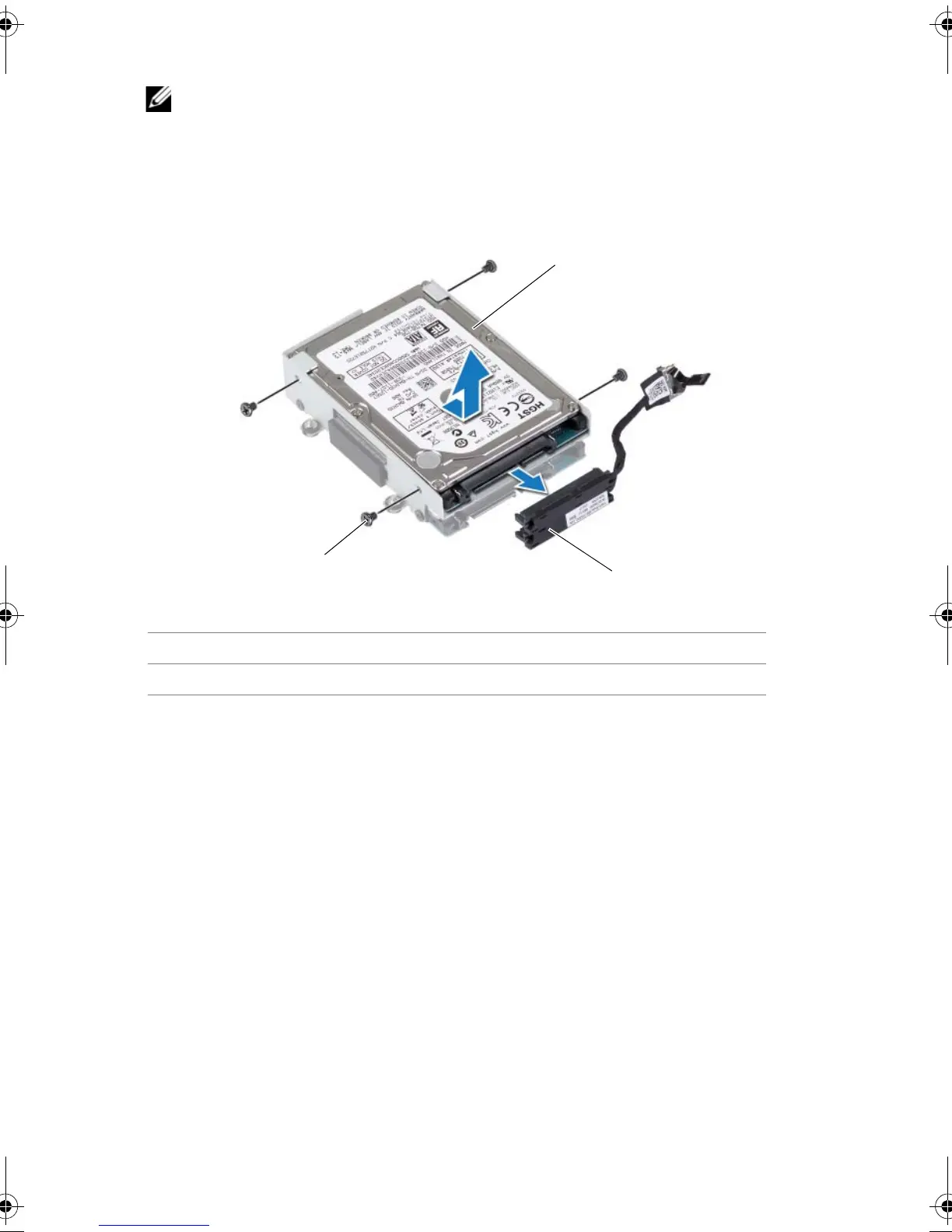
4 Disconnect the interposer from the hard drives.
NOTE: Your computer supports up to three drives.
5 Remove the screws that secure the hard drive(s) to the hard-drive bracket and slide
the hard drive(s) out of the hard-drive bracket.
1 hard drive 2 interposer
3 screws (4)
Book.book Page 27 Friday, June 28, 2013 11:10 AM












 To Next Page