32 | Removing the Video-Card Heat-Sink Fan(s)
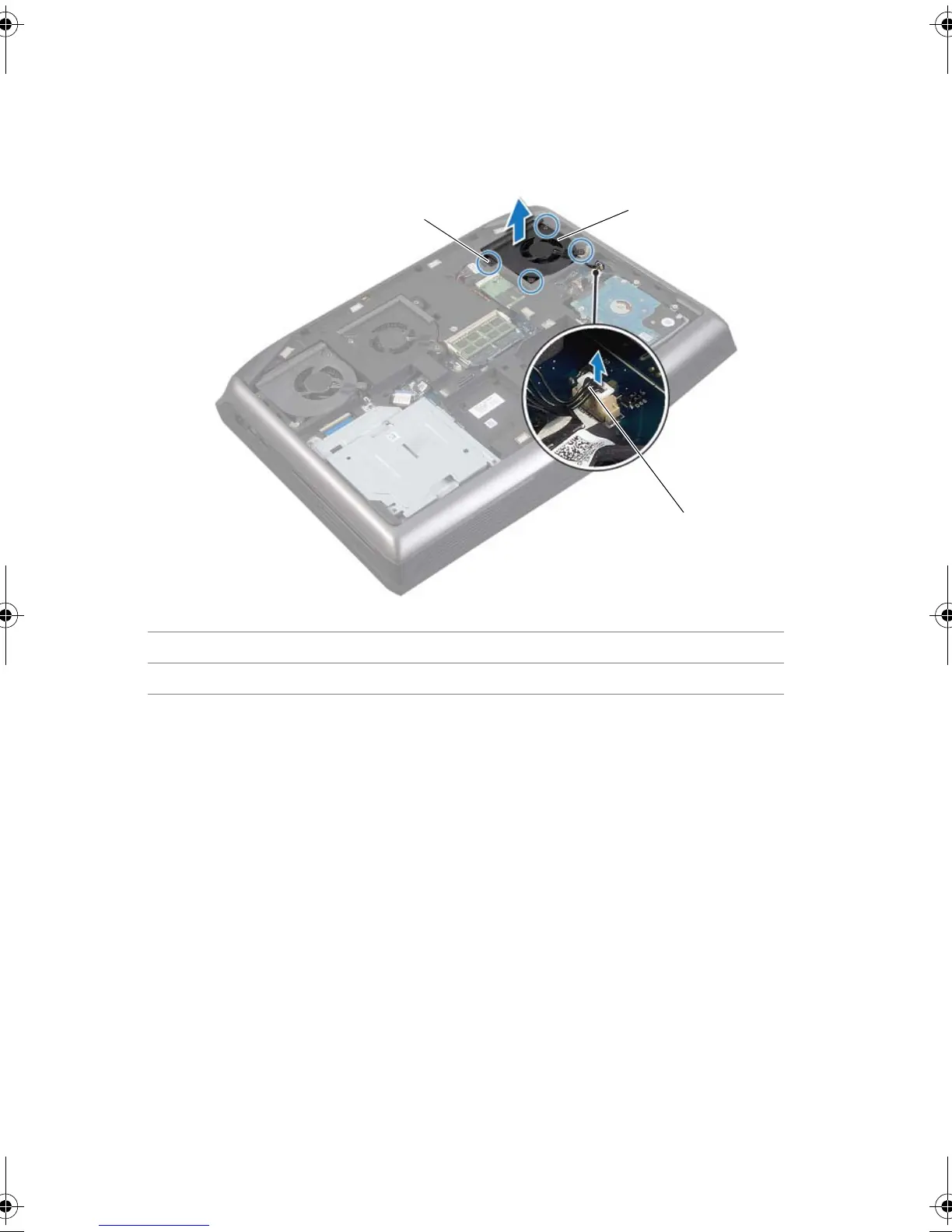
3 Disconnect the secondary video-card heat-sink fan cable from its connector on the
system board.
4 Loosen the captive screws that secure the secondary video-card heat-sink fan to the
computer base.
5 Lift the video-card heat-sink fan(s) along with the cable away from the computer
base.
1 captive screws (4) 2 secondary video-card heat-sink fan
3 secondary video-card heat-sink fan cable
Book.book Page 32 Friday, June 28, 2013 11:10 AM












 To Next Page