Scanning
207
For Windows Server
®
2008 R2
1
Click
Start
Control Panel
.
2
Select
User Accounts
.
3
Click
User Accounts
.
4
Click
Create a password for your account
and add in a password for your user login account.
For Mac OS X 10.6, OS X 10.7, OS X 10.8, OS X 10.9, and OS X 10.10
1
Click
System Preferences
Users & Groups
(
Accounts
for Mac OS X 10.6).
2
Select
Change Password
.
3
Enter a password for your user login account in
New password
.
4
Re-enter the password in
Verify
.
After you confirmed a login user name and password, go to "Creating a Folder to Store the Document" on page 207.
When Using FTP
The Scan to Network Folder feature requires a user name and a password. For your user name and password, contact
your system administrator.
Creating a Folder to Store the Document
When Using SMB
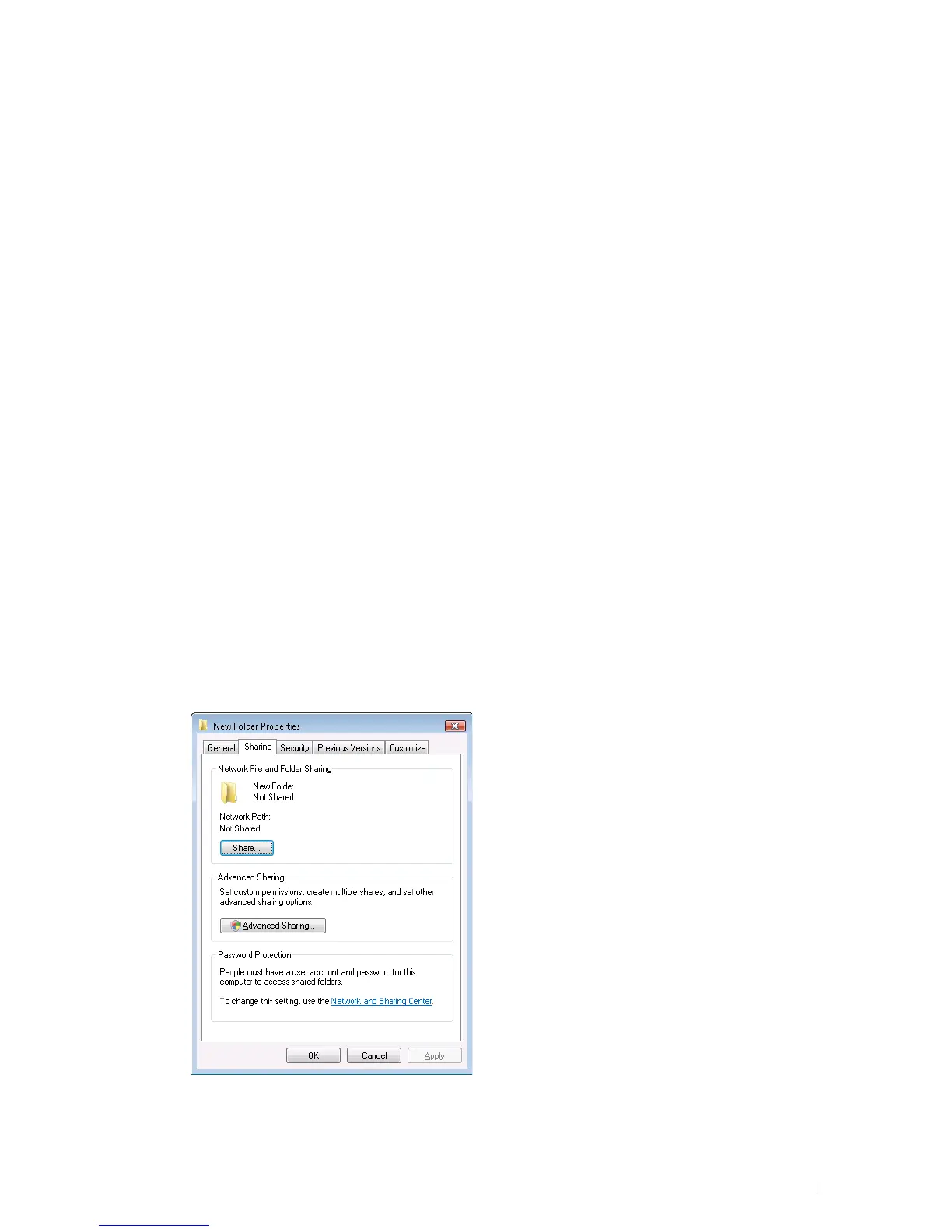
Share a folder to store the scanned document using the following procedure.
For Windows Vista
®
, Windows
®
7, Windows
®
8, Windows
®
8.1, Windows Server
®
2008, Windows Server
®
2008 R2,
Windows Server
®
2012, and Windows Server
®
2012 R2
1
Create a folder in the desired directory on your computer (Example of folder name,
MyShare
).
2
Right-click the folder, and then select
Properties
.












 To Next Page