Connecting Your Printer
29
Connecting Printer to Computer or Network
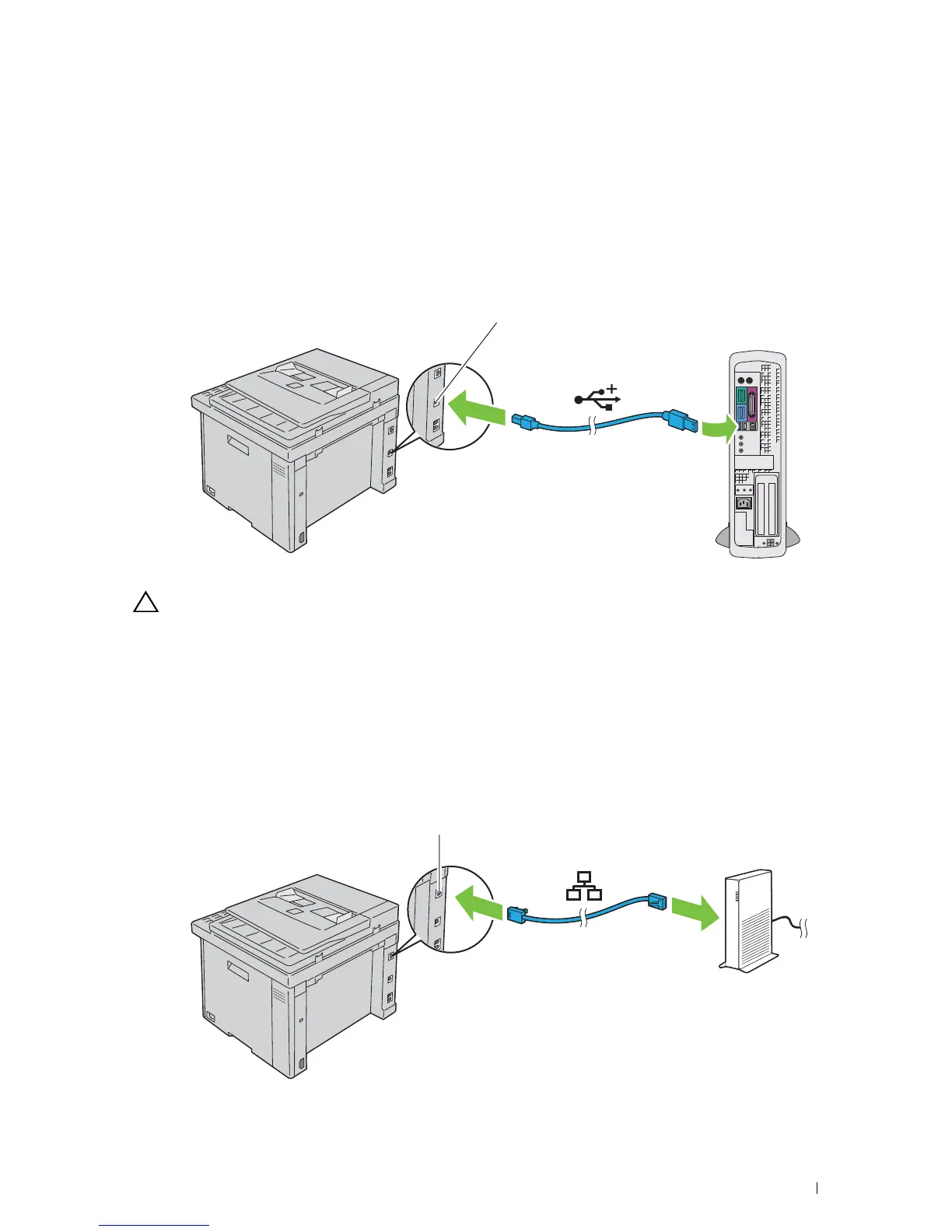
USB Connection
To connect the printer to a computer:
1
Ensure that the printer, computer, and any other connected devices are turned off and unplugged from the power
source/outlet.
2
Connect the smaller USB connector into the USB port at the back of the printer.
3
Connect the other end of the cable into a USB port of your computer.
CAUTION:
Do not connect the printer USB cable to a USB port on the keyboard.
Ethernet Connection
To connect the printer to a network:
1
Ensure that the printer, computer and any other connected devices are turned off and unplugged from the power
source/outlet.
2
Connect one end of an Ethernet cable into the Ethernet port at the rear of the printer, and the other end to a LAN
drop or hub.
To setup a wireless connection, see "Wireless Connection" on page 30.












 To Next Page