80
Dell™ Printer Configuration Web Tool
Right Frame
The right frame is located on the right side of all pages. The contents of the right frame correspond to the menu that
you select in the left frame. For details on the items displayed in the right frame, see "Details of the Menu Items" on
page 81.
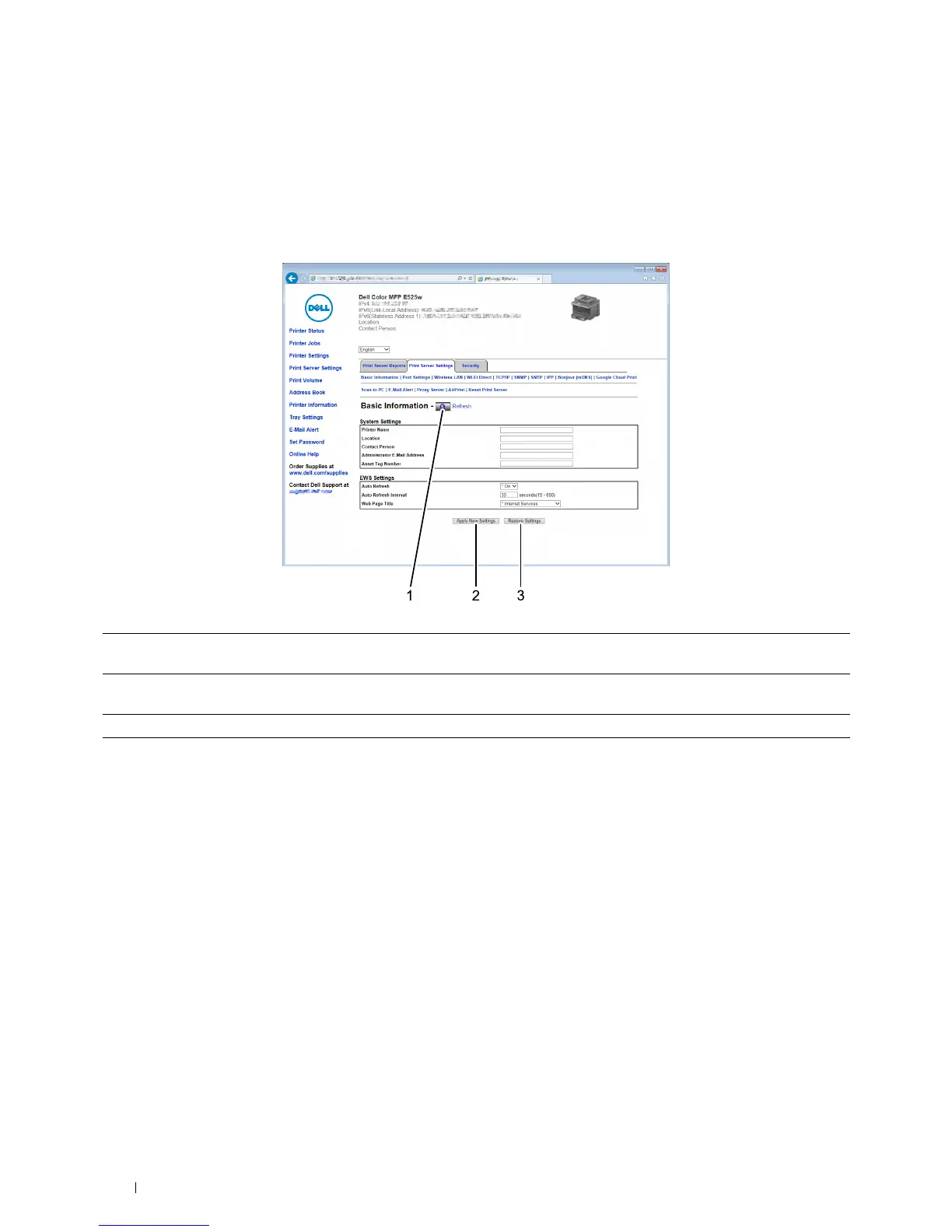
Buttons in the Right Frame
1 Refresh button Receives the current printer configuration and updates the latest information in the right
frame.
2 Apply New Settings button Submits new settings made on the Dell Printer Configuration Web Tool to the printer.
The new settings replace the old settings of the printer.
3 Restore Settings button Restores the old settings. New settings will not be submitted to the printer.












 To Next Page