210
Scanning
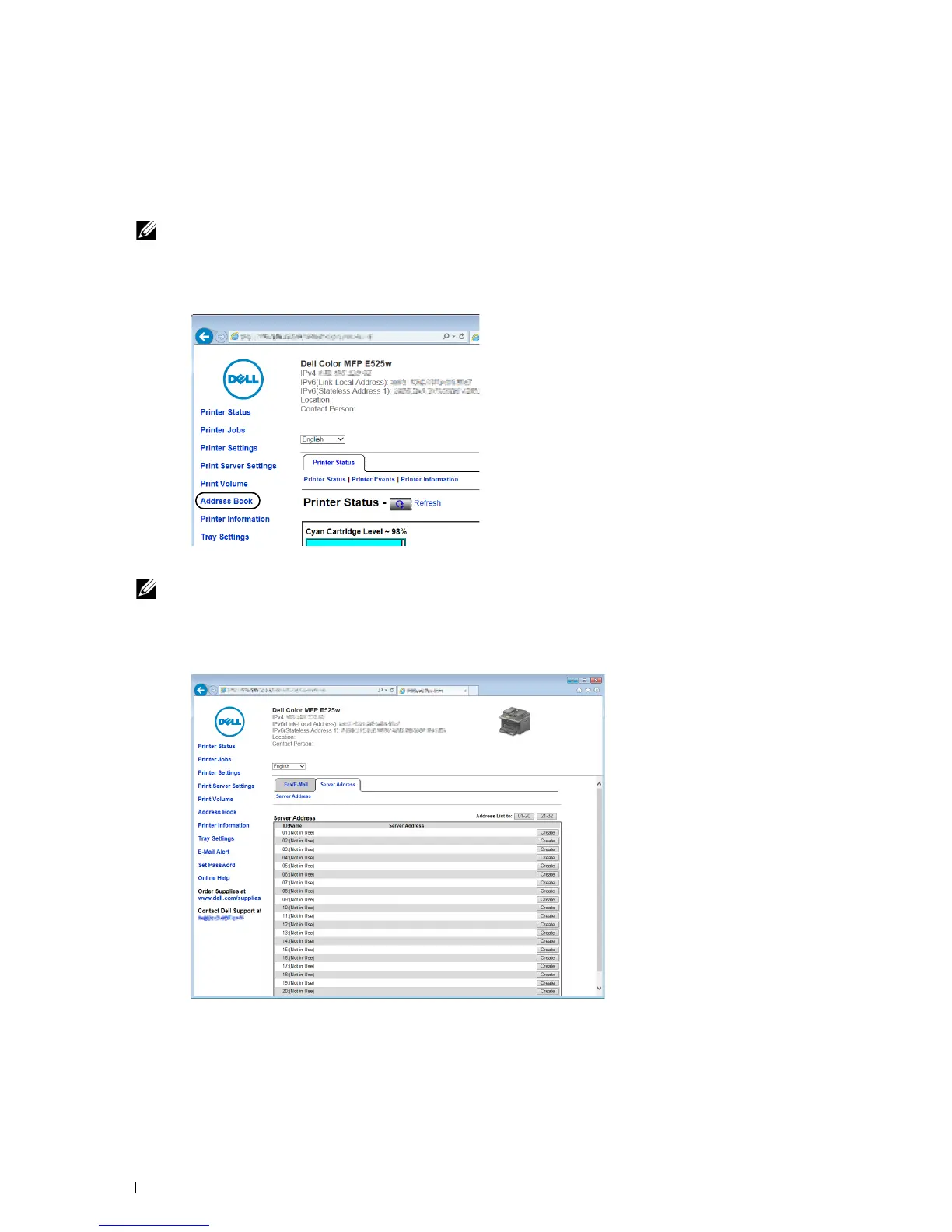
From the Dell Printer Configuration Web Tool
1
Open a web browser.
2
Enter the IP address of the printer in the address bar and click
Go
.
The printer's web page appears.
NOTE:
For details on how to check the IP address of the printer, see "Verifying the IP Address" on page 45.
3
Click
Address Book
.
The login dialog box appears.
4
Enter the correct user name and password.
NOTE:
The default user name is admin, and the default password is left blank (NULL).
5
Click the
Server Address
tab.
6
Select any unused number and click
Create
.












 To Next Page