Scanning
213
6
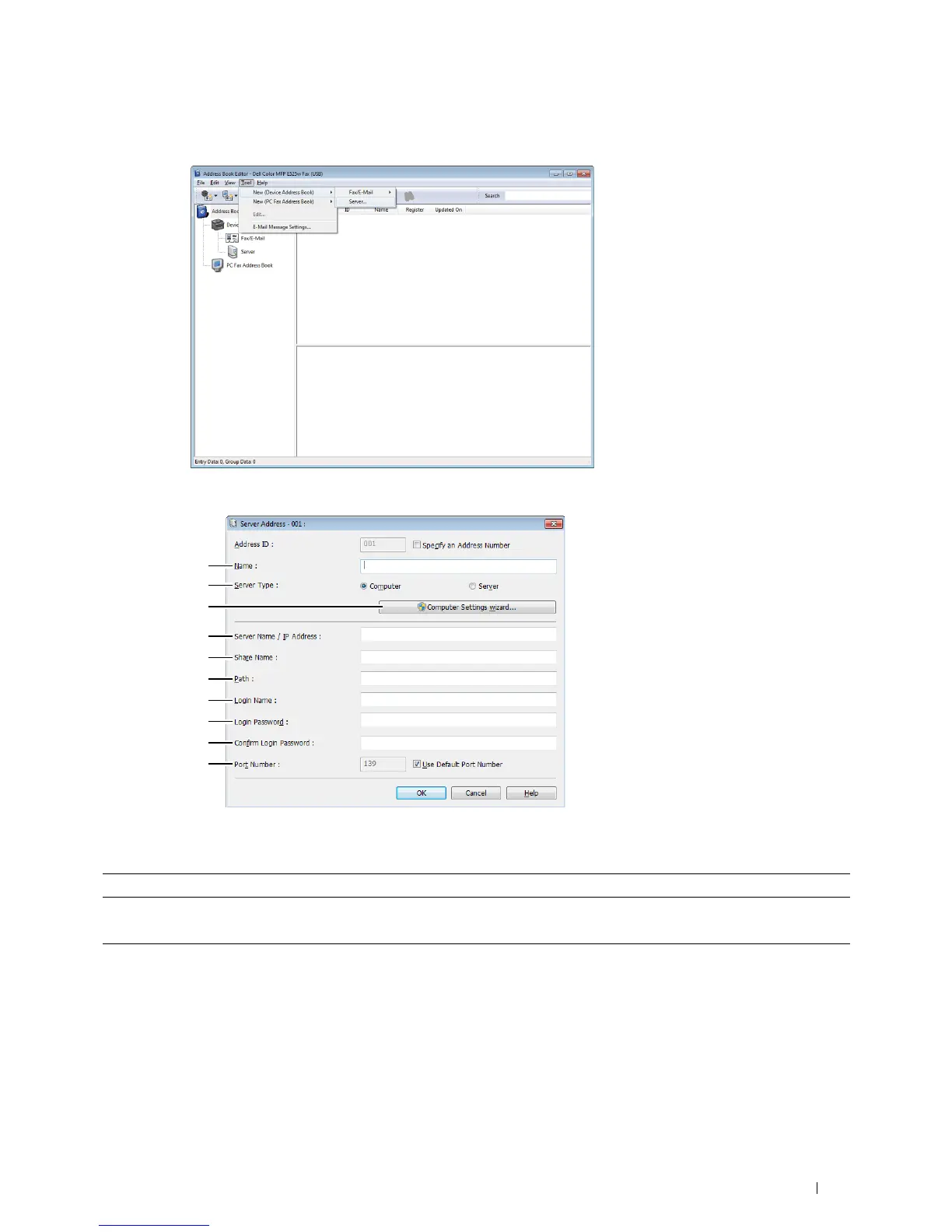
Click
Tool
New (Device Address Book)
Server
.
The
Server Address
dialog box appears.
To fill in the fields, enter the information as follows:
1 Name Enter a friendly name that you want to display on the Address Book.
2 Server Type Select Computer if you store the document in a shared folder of your computer.
Select Server if you use a FTP server.
3 Computer Settings
wizard
Clicking this button opens the wizard screen which guides you through several steps.
When you complete the steps in the wizard, the items 4 to 10 are entered automatically. For
details, click Help.












 To Next Page