Maintaining Your Printer
267
6
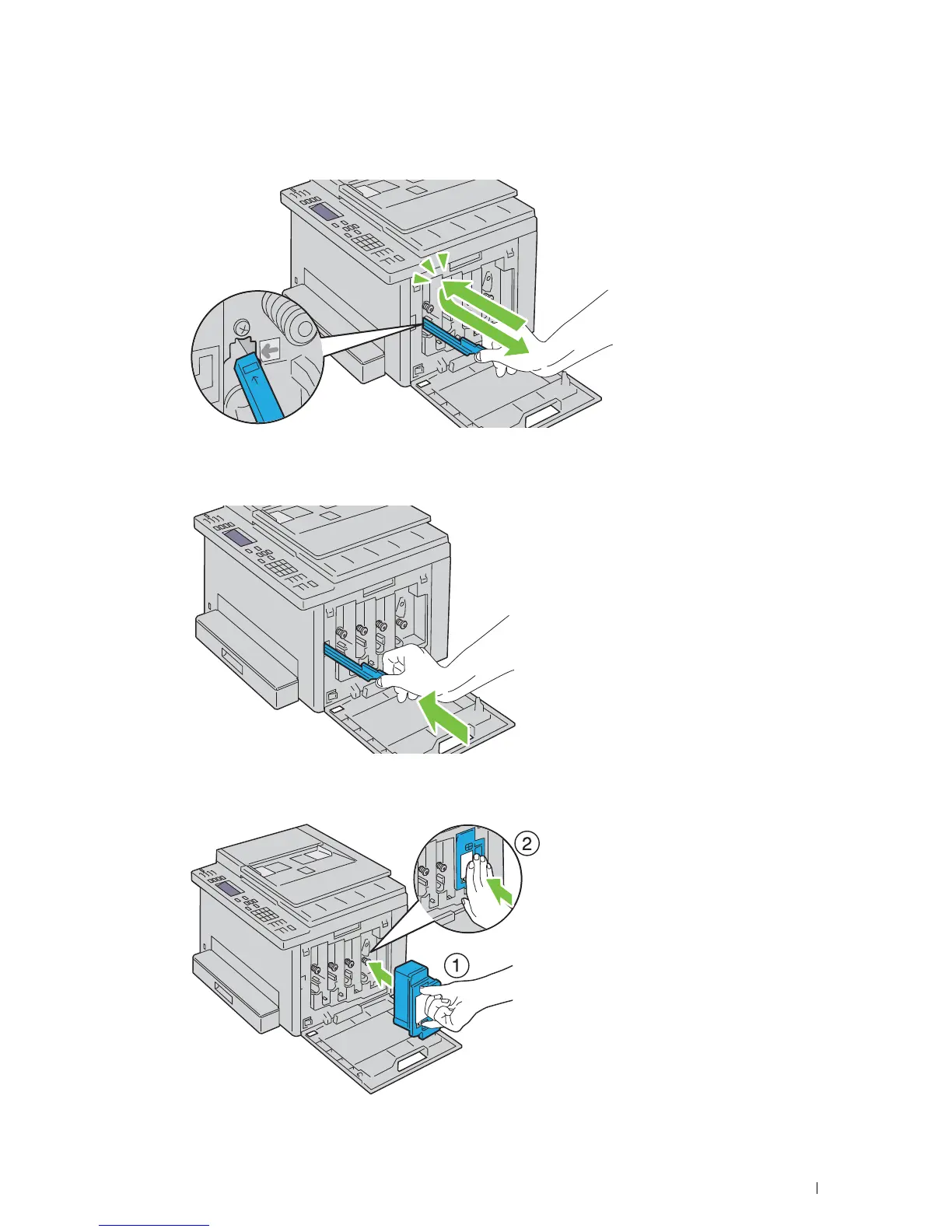
Insert the cleaning rod fully into the hole beside the arrow on the printer until its tip reaches the interior of the
printer as illustrated below, and then pull it out.
7
Repeat the same procedure for the other three holes.
8
Insert the cleaning rod back to its original location.
9
Replace the black cartridge by adjusting it to the associated cartridge holder, and then insert it firmly by pressing
near the center of the label until the cartridge clicks.












 To Next Page