236
|Scanning
5 Click Apply New Settings.
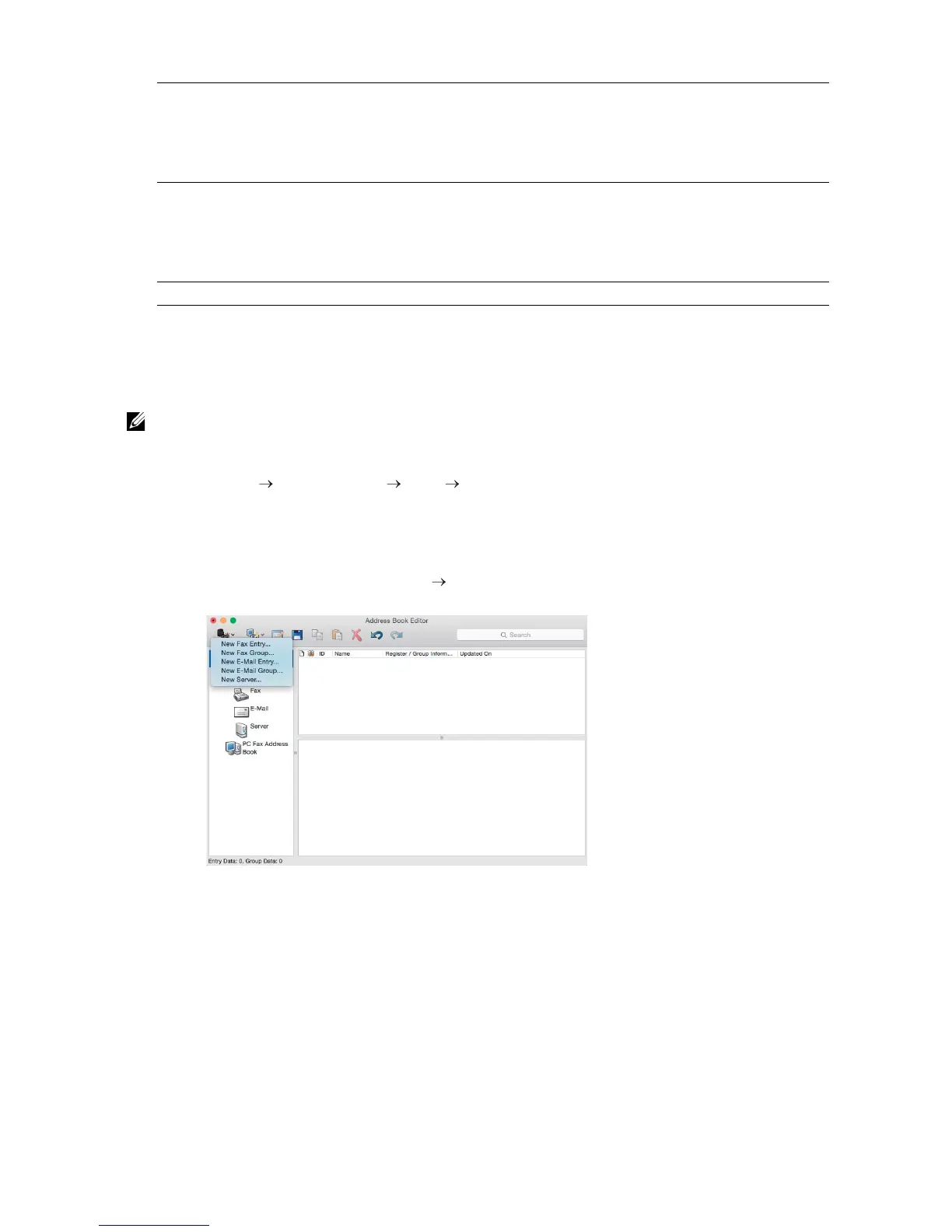
Using Address Book Editor
The following procedure uses OS X 10.10 as an example.
• For Windows
®
, you can operate Address Book Editor with using the Tool Box on Dell Printer Hub
and Dell Printer Management Tool. See "Tool Box."
1 Click Finder Applications Dell Dell Color Cloud Multifunction Printer -
H625cdw/Dell Color Cloud Multifunction Printer - H825cdw/Dell Color Smart
Multifunction Printer - S2825cdn, and then double-click Address Book Editor.
2 Perform either of the following:
Click New (Device Address Book) New Server.
Login Name Enter the user account name to allow access to a shared folder on
your computer or to an FTP server.
• For FTP: Contact your system administrator.
• For SMB: Windows
®
login name that you have specified in "Setting
a User Account (SMB Only)."
Login Password Enter the password corresponding to the above login name.
• For FTP: Contact your system administrator
• For SMB: Empty password is not valid in Network (Computer).
Make sure that you have a valid password for the user login
account. See "Setting a User Account (SMB Only)."
Re-enter Password Re-enter your password.



 To Next Page