Scanning |
237
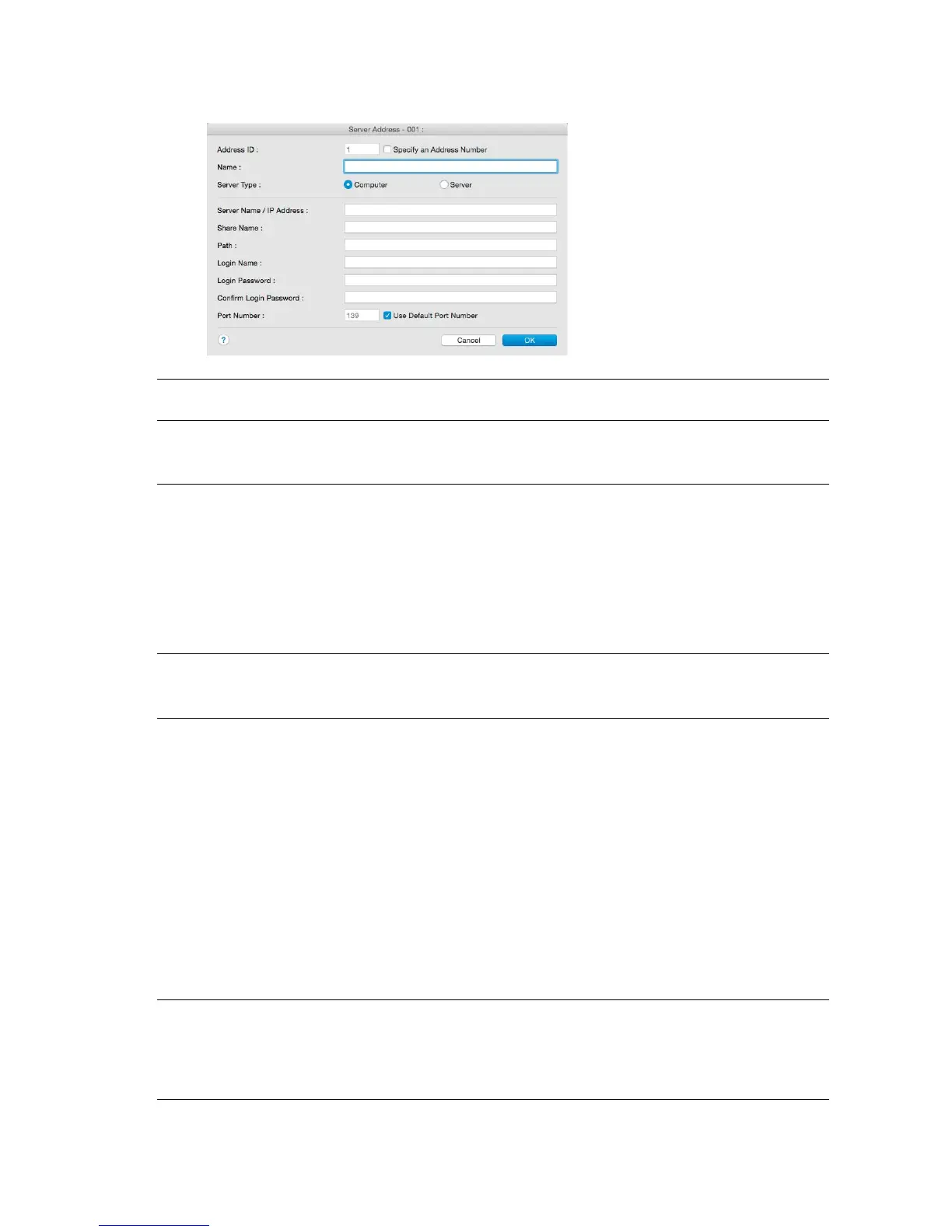
3 Enter the information as follows to fill in the fields.
Name Enter a name of your choice. This appears as the name for the Server
Address in the address book.
Server Type Select Computer to send documents to a shared folder on your
computer using Server Message Block (SMB).
Select Server to send documents to an FTP server.
Server Name/IP Address Enter the name or IP address of the server or computer.
Example:
• For Computer (SMB):
Computer name: myhost
IP address: 192.0.2.1
• For Server (FTP):
Server name: abc.example.com
(abc: host name, example.com: domain name)
IP address: 192.0.2.1
Share Name Enter the name of the shared folder. See "Creating a Shared Folder
(SMB Only)." For SMB only.
Example: Share, Sharefolder
Path Enter the path of the sub-folder within the shared folder. If you have
not created a sub-folder, leave this blank.
When entering the sub-folder path, make sure that the sub-folder is
already created and do not enter the name of the shared folder.
Example:
Shared Folder name: MyShare, Second-level folder name: MyPic
Enter "MyPic".
If you have created a sub-folder within a sub-folder, separate each
sub-folder name with a backslash (SMB) or forward slash (FTP).
Example:
Shared Folder name: MyShare, Second-level folder name: MyPic,
Third-level folder name: John
• For SMB enter "MyPic\John".
• For FTP enter "MyPic/John".
Login Name Enter the user account name to allow access to a shared folder on
your computer (SMB) or to an FTP server.
• For Computer (SMB): Windows
®
login name that you have
specified in the procedure 1.
• For Server (FTP): Contact your system administrator.



 To Next Page