254
|Faxing
5 Perform either of the following:
• For Windows
®
: Click OK to close the Printing Preferences dialog box, and then
click Print.
• For OS X: Click Print.
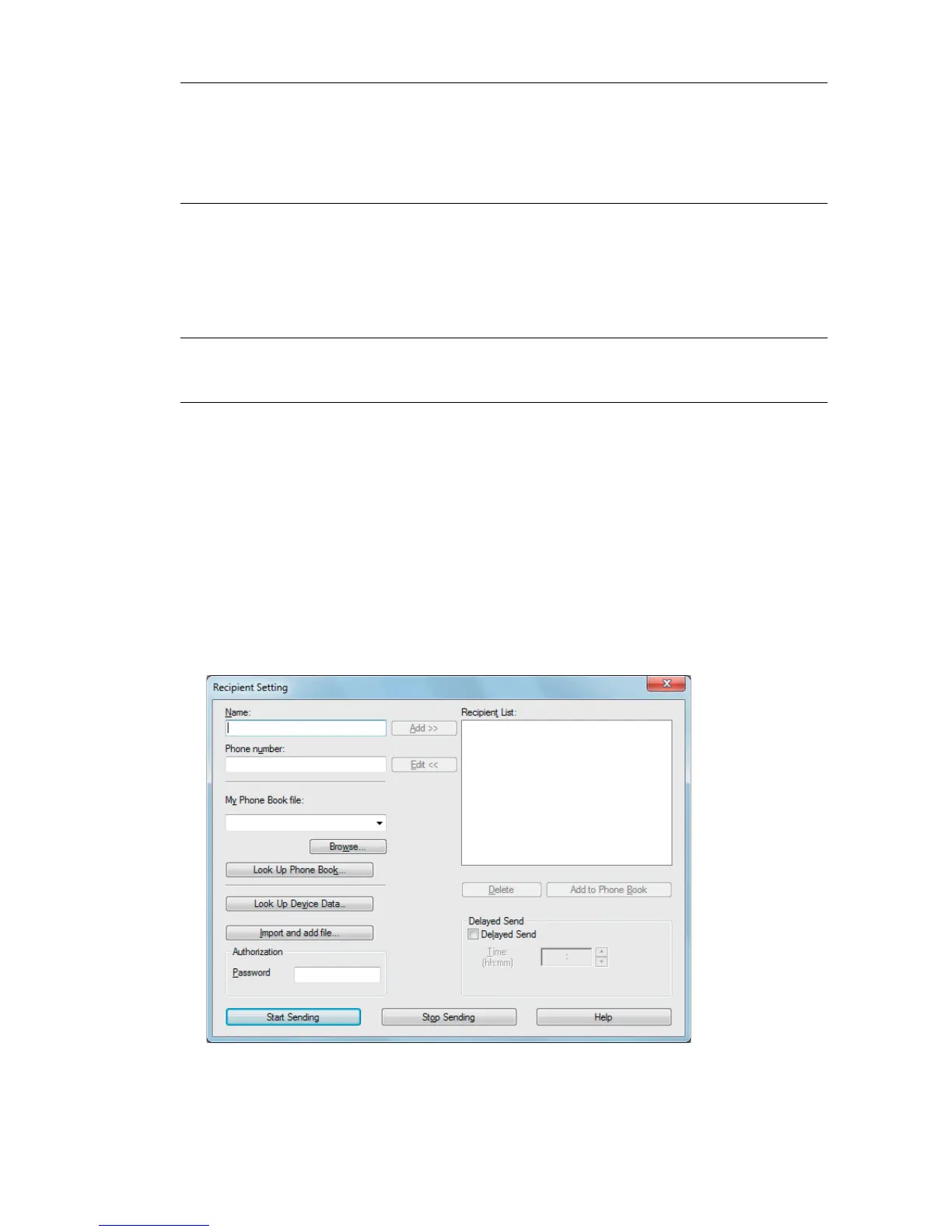
The Recipient Setting dialog box for Windows
®
or the Set/Check Fax Transmission
dialog box for OS X appears.
6 Enter the destination for the recipient by performing the following.
For details about how to enter the destination, refer to the Help of the driver.
For Windows
®
:
Fax Cover Page Specify whether to attach a cover page to your fax.
• According to Printer Settings: Determines whether to attach a
cover page to your fax in accordance with the setting you
specify in Fax Cover Page on the operator panel.
•Attach: Attaches a cover page to your fax.
•None: Does not attach a cover page to your fax.
Sender Specify whether to print the sender's name on the fax cover
page.
• According to Printer Settings: Determines whether or not to
print the sender's name on the fax cover page based on the
printer settings.
• Enter a sender name: Allows you to enter a sender's name to
be printed on the fax cover page in Sender Name.
Sender Name Enter a sender's name to be printed on the fax cover page.
The sender's name can be up to 30 characters. If it exceeds 30
characters, only the first 30 characters are printed.



 To Next Page