346
| Maintaining Your Printer
7 Repeat step 6 for the other three holes.
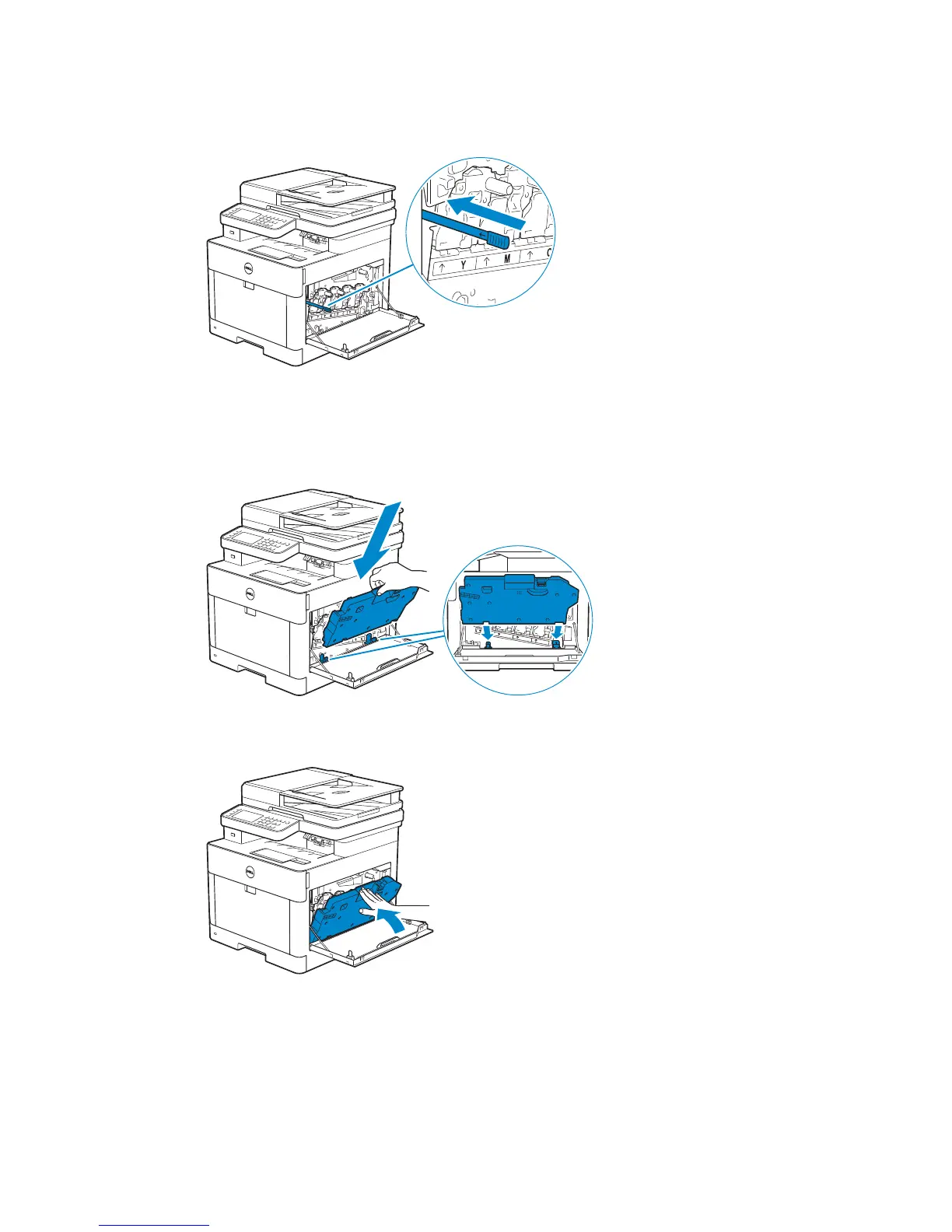
8 Return the cleaning rod to its original location.
9 Insert the waste toner box.
Make sure that the two indented parts on the bottom go into the brackets on the
printer.
10 Push on the handle of the waste toner box until it clicks.



 To Next Page