Battery Slice: Dell Latitude E4300 Service Manual
file:///C|/Biz%20Client/2015/Lola%20(Defect%20Fix)/bslice.htm[5/25/2015 11:14:04 AM]
1 charge gauge lights
Detaching the Battery Slice
1. Save and close any open files, and exit any open programs.
2. Set the power management settings so that the computer does not enter sleep, standby, or hibernate mode when you
close (lower) the display:
Microsoft
®
Windows
®
XP
a. Click Start® Control Panel® Performance and Maintenance® Power Options® Advanced.
b. Under When I close the lid of my portable computer, select Do nothing.
Windows Vista
®
a. Click Start ® Control Panel® Mobile PC® Power Options® Change what closing the lid does.
b. Under the When I close the lid drop-down menu, select Do nothing.
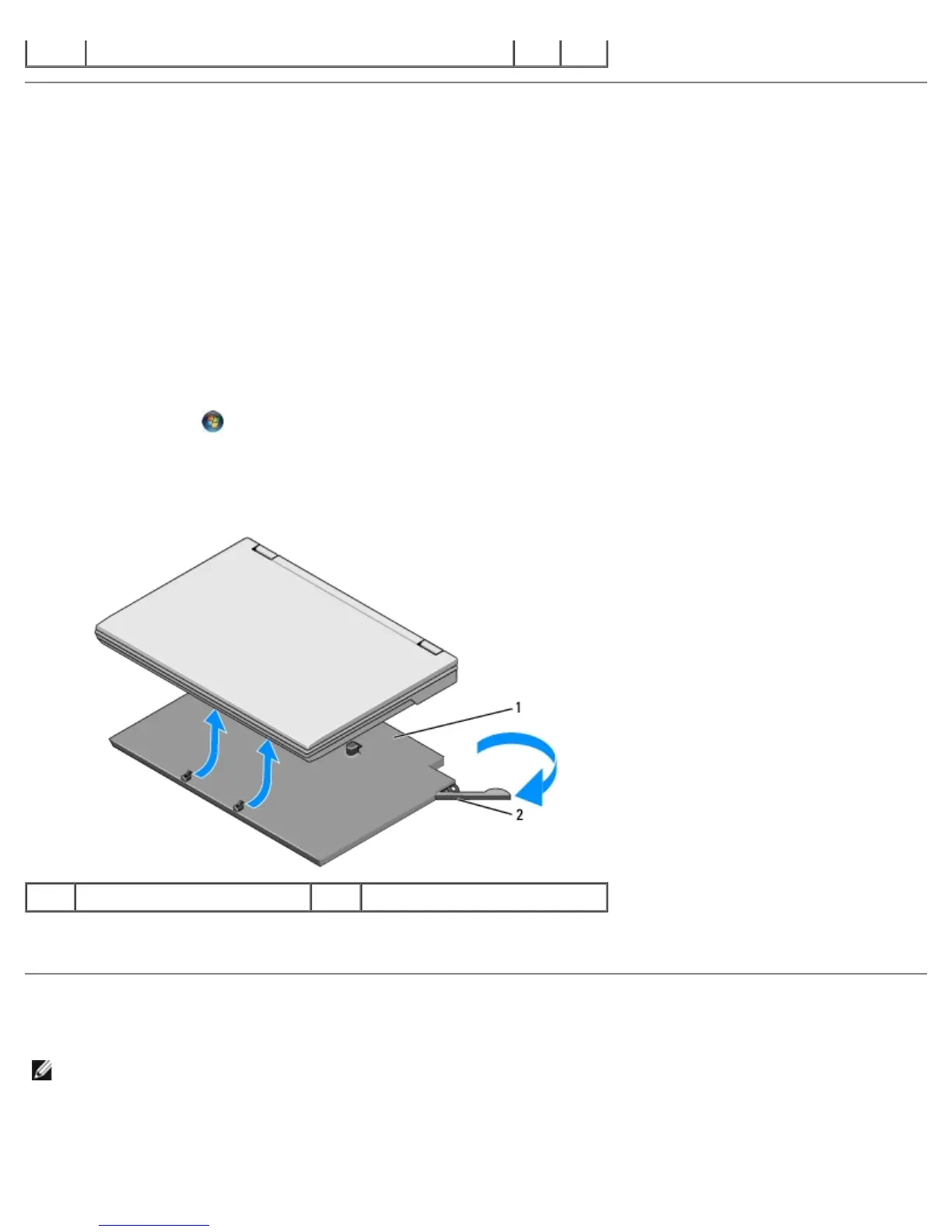
c. Pull the laptop release lever to release the laptop from the battery slice.
1 battery slice 2 release lever
4. Lift the back edge of the laptop up and slide the laptop toward the back of the battery slice.
Attaching the Battery Slice
NOTE: After attaching the battery slice to your laptop, the laptop AC adapter can charge the battery slice through the
laptop AC adapter connector.
1. While holding the laptop at a 30-degree angle to the battery slice, set the slots on the bottom of the laptop onto the
battery slice hooks, and then lower the back of the laptop onto the battery slice. The laptop docking connector should
engage the battery slice docking connector.















 To Next Page