Memory: Dell Latitude E4300 Service Manual
file:///C|/Biz%20Client/2015/Lola%20(Defect%20Fix)/memory.htm[5/25/2015 11:14:07 AM]
NOTICE: To prevent damage to the memory module connector, do not use tools to remove or replace the
memory module.
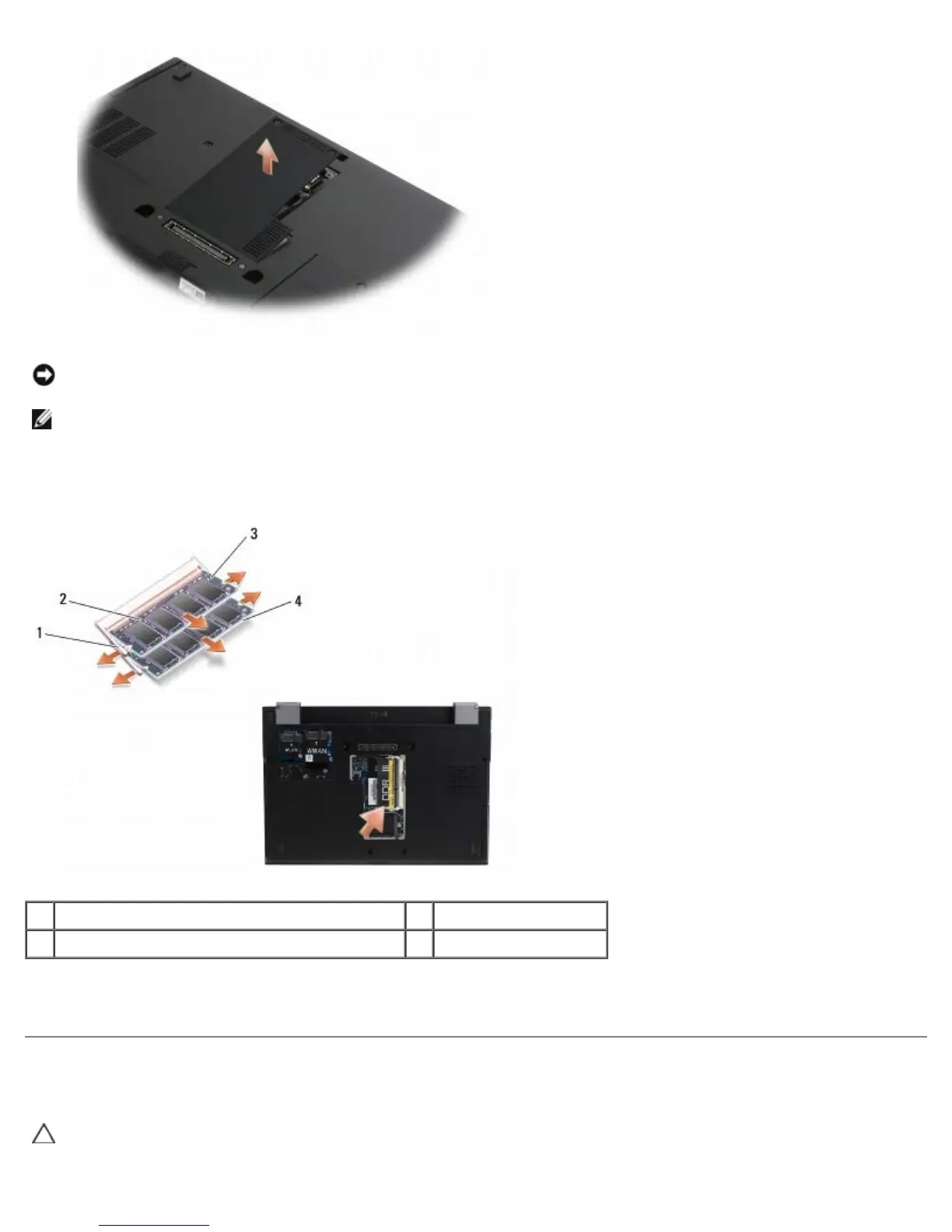
NOTE: From the underside of the computer, the DIMM B socket is uppermost and DIMM A is closest to the system
board.
5. Use your fingertips to carefully spread apart the retaining clips on each end of the memory module connector until the
module pops up.
1 memory module retaining clips (2) 2 memory module
3 DIMM B module 4 DIMM A module
6. Remove the module by grasping it at the side edges and pulling it away from the connector. Place the module into
anti-static packaging such as an anti-static bag.
Replacing a Memory Module
CAUTION: Before working inside the computer, read the safety information that shipped with the
computer. For additional safety best practices information, see the Regulatory Compliance Homepage on
www.dell.com at: www.dell.com/regulatory_compliance.















 To Next Page