Palm Rest: Dell Latitude E4300 Service Manual
file:///C|/Biz%20Client/2015/Lola%20(Defect%20Fix)/palmrest.htm[5/25/2015 11:14:11 AM]
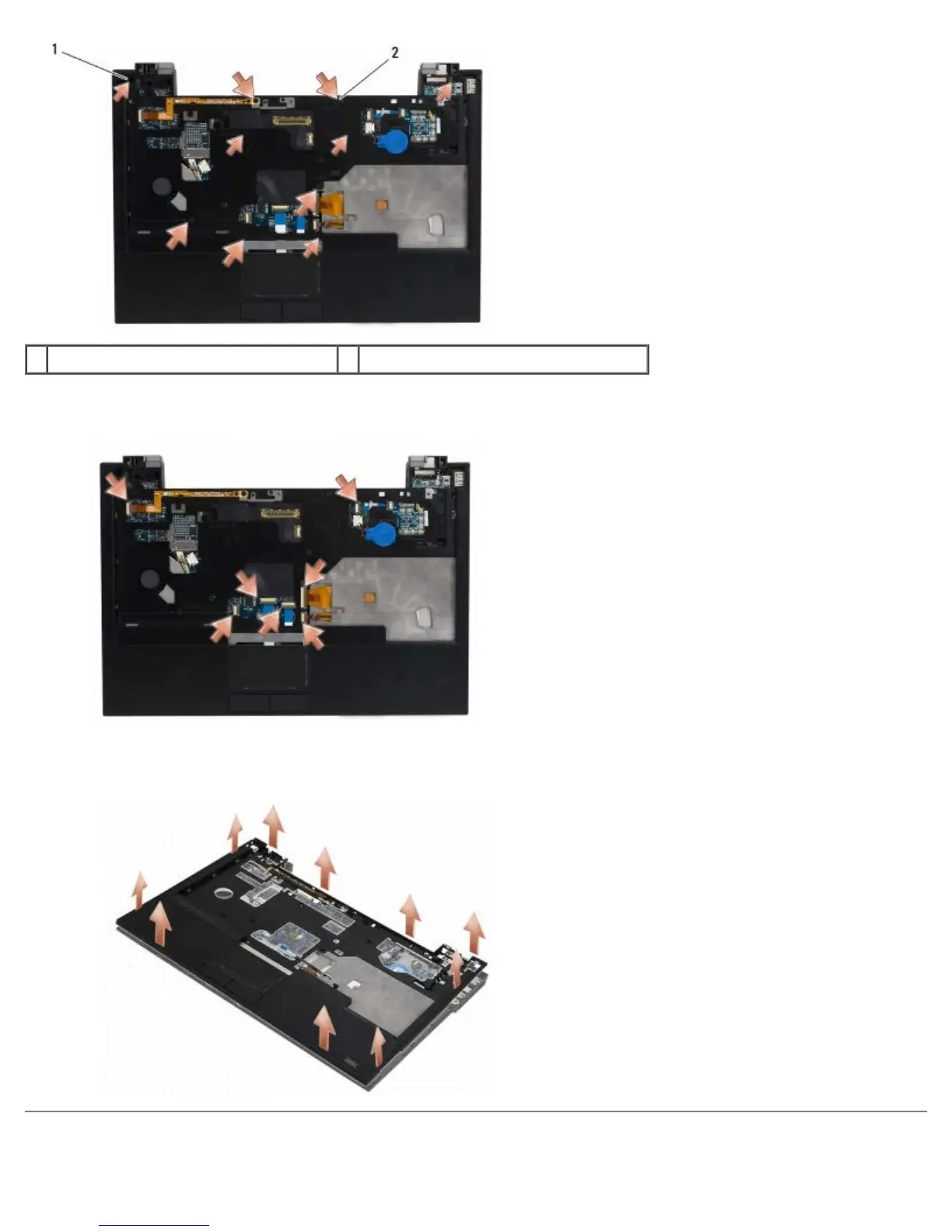
1 M2.5 x 5-mm screws (5; small arrows) 2 M2.5 x 8-mm screws (5; large arrows)
7. Disconnect the seven cables connecting the palm rest to the system board, as shown in the illustration below.
8. Starting at the back center of the palm rest, use your fingers to separate the palm rest from the computer base by
gently lifting up the palm rest while pressing down on the back of the computer base.
Replacing the Palm Rest















 To Next Page