LED Dashboard Cover: Dell Latitude E4300 Service Manual
file:///C|/Biz%20Client/2015/Lola%20(Defect%20Fix)/ledboard.htm[5/25/2015 11:14:08 AM]
Back to Contents Page
LED Dashboard Cover
Dell™ Latitude™ E4300 Service Manual
Removing the LED Dashboard Cover
Replacing the LED Dashboard Cover
Removing the LED Dashboard Cover
CAUTION: Before working inside the computer, read the safety information that shipped with the
computer. For additional safety best practices information, see the Regulatory Compliance Homepage on
www.dell.com at: www.dell.com/regulatory_compliance.
1. Follow the instructions in What You Need to Know For Your Safety
.
2. Open the display as far as it will go.
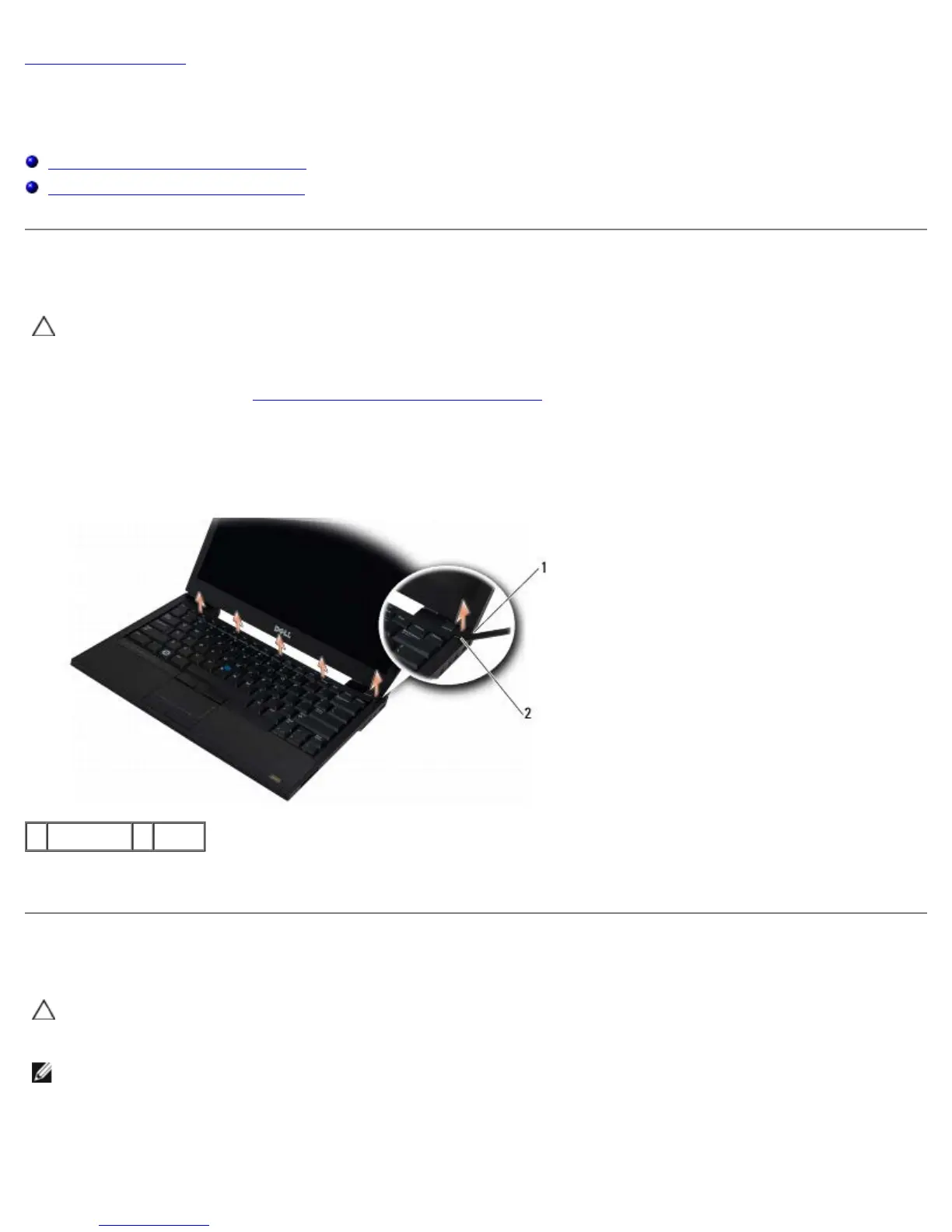
3. Insert a plastic scribe into the notch on the right side of the LED dashboard cover beside the power button, and
carefully pry it up to loosen the LED dashboard cover.
1 scribe tool 2 notch
4. Remove the LED dashboard cover.
Replacing the LED Dashboard Cover
CAUTION: Before working inside the computer, read the safety information that shipped with the
computer. For additional safety best practices information, see the Regulatory Compliance Homepage on
www.dell.com at: www.dell.com/regulatory_compliance.
NOTE: This procedure assumes that you have completed the removal procedure first.
1. Slide the left end of the LED dashboard into place, and then gently apply pressure to seat the tabs.
2. Moving to the right, apply pressure along the LED dashboard cover to seat the tabs.















 To Next Page