Keyboard: Dell Latitude E4300 Service Manual
file:///C|/Biz%20Client/2015/Lola%20(Defect%20Fix)/keyboard.htm[5/25/2015 11:14:09 AM]
www.dell.com at: www.dell.com/regulatory_compliance.
NOTICE: The keycaps on the keyboard are fragile, easily dislodged, and time consuming to replace. Be
careful when removing and handling the keyboard.
NOTICE: To avoid scratching the palm rest when replacing the keyboard, hook the tabs along the front
edge of the keyboard into the palm rest first, and then secure the keyboard in place.
NOTE: This procedure assumes that you have completed the removal procedure first.
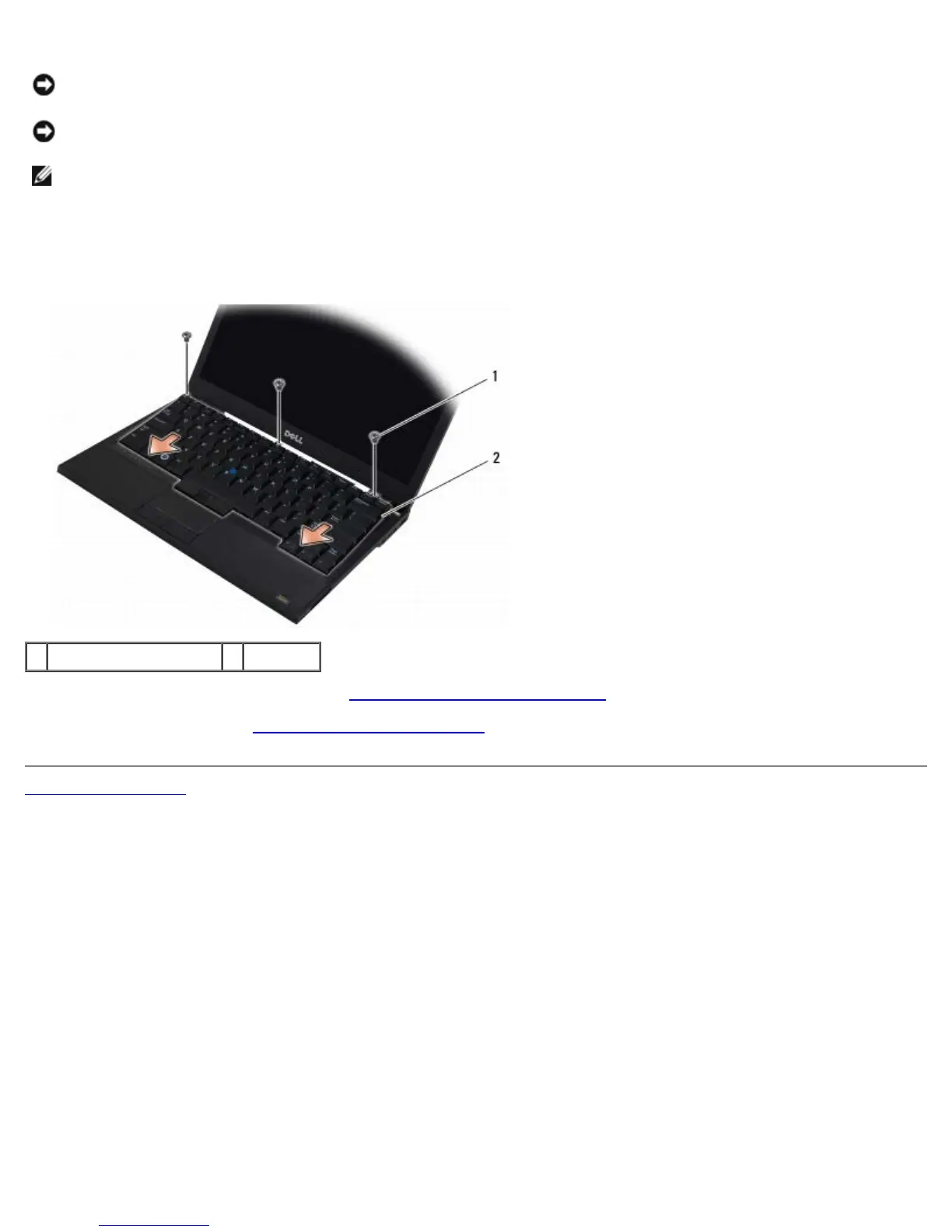
1. Insert the keyboard connector into the connector slot, being careful to insert the five tabs underneath the palm rest
cover.
2. Replace the three M2 x 3-mm screws at the top of the keyboard.
1 M2 x 3-mm screws (3) 2 keyboard
3. Replace the LED dashboard cover (see Replacing the LED Dashboard Cover
).
4. Follow the instructions in After Working on Your Computer
.
Back to Contents Page















 To Next Page