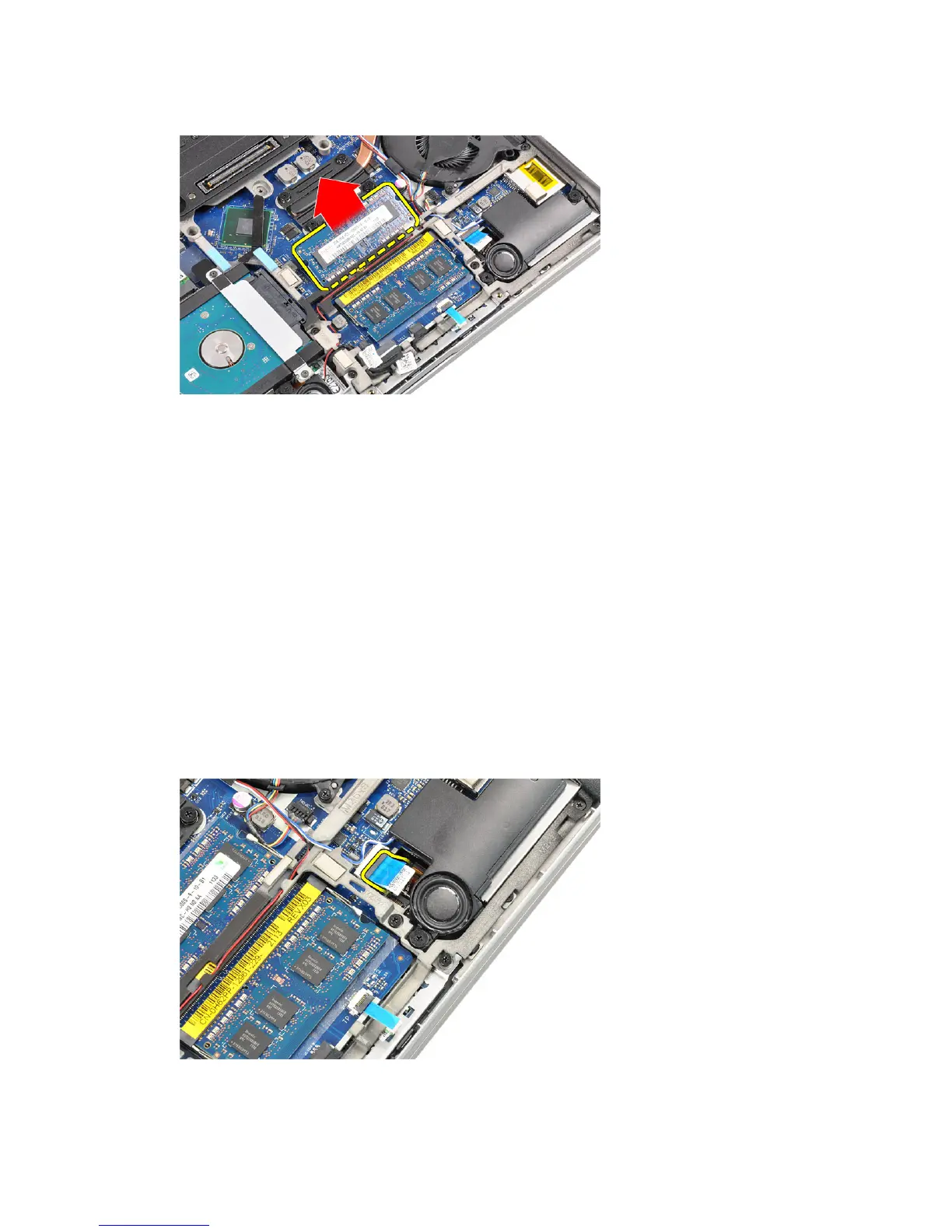
4. Lift and remove the memory module from its connector.
5. Repeat steps 2 and 3 to remove the second memory module.
Installing the Memory
1. Insert the memory module into the socket.
2. Press the retention clips to secure the memory module to the system board.
3. Install the:
a) base cover
b) battery
4. Follow the procedures in
After Working Inside Your Computer
.
Removing The Palmrest
1. Follow the procedures in
Before Working Inside Your Computer
.
2. Remove the:
a) battery
b) base cover
3. Disconnect the SD memory card reader cable.
19















 To Next Page