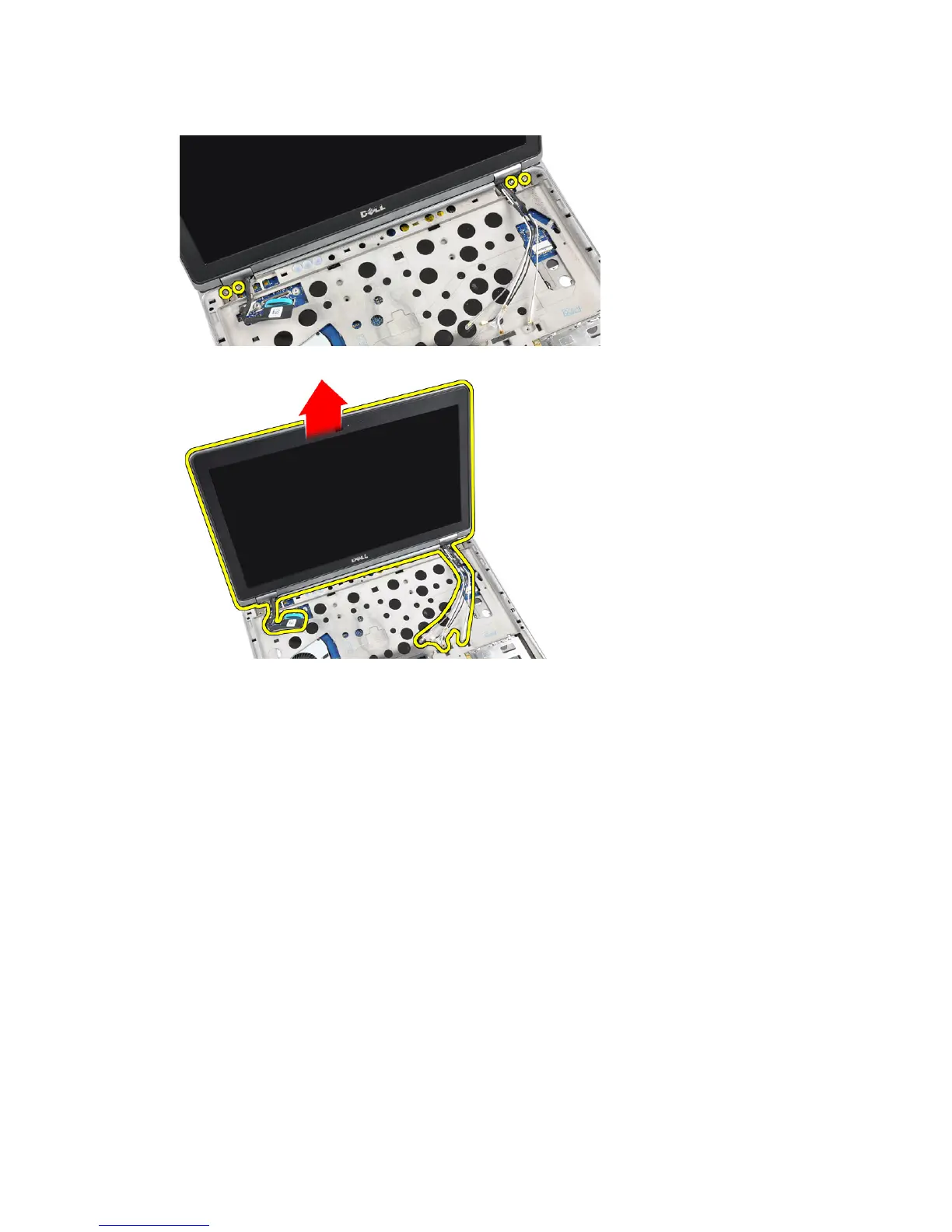
9. Remove the screws that secure the display assembly to the computer.
10. Pull up the display assembly from the chassis.
Installing the Display Assembly
1. Place the display assembly on the computer.
2. Tighten the screws to secure the display assembly to the computer.
3. Route the antenna cables through the routing channel.
4. Connect the antenna cables to the computer.
5. Route and connect the LVDS cable.
6. Place the LVDS bracket in its slot.
7. Tighten the screws to secure the LVDS bracket to the computer.
8. Route and connect the antenna cables that are connected to the wireless solutions.
9. Flip the computer and tighten the screws at the bottom.
10. Install the:
a) keyboard
b) palmrest
c) base cover
d) battery
e) ExpressCard
f) SD card
52















 To Next Page