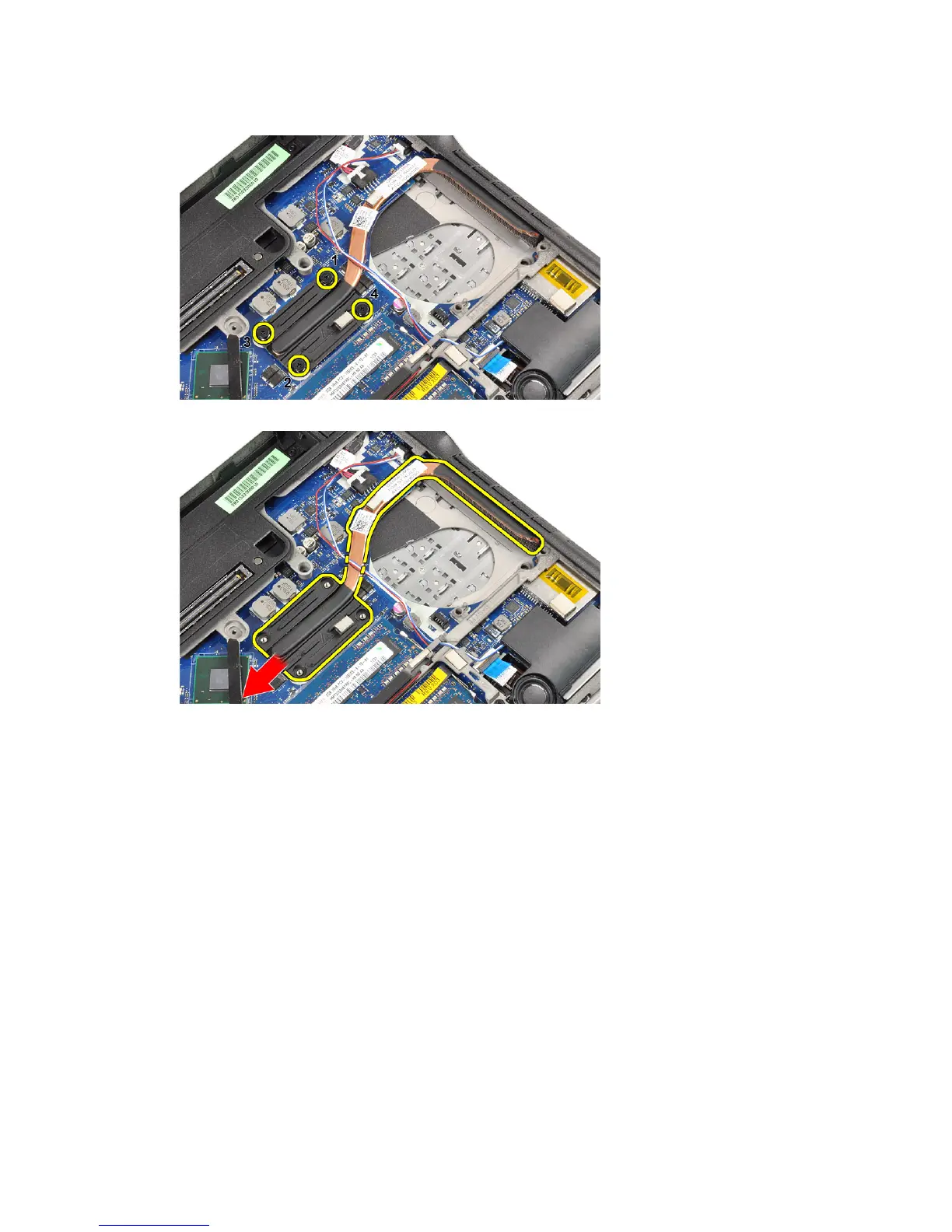
3. Loosen the screws that secure the heat-sink module to the computer.
4. Remove the heat-sink module.
Installing the Heat-Sink module
1. Replace the heat-sink module in its slot.
2. Tighten the screws to secure the heat-sink module.
3. Install the:
a) heat-sink fan
b) base cover
c) battery
d) ExpressCard
e) SD Card
4. Follow the procedures in
After Working Inside Your Computer
.
29















 To Next Page