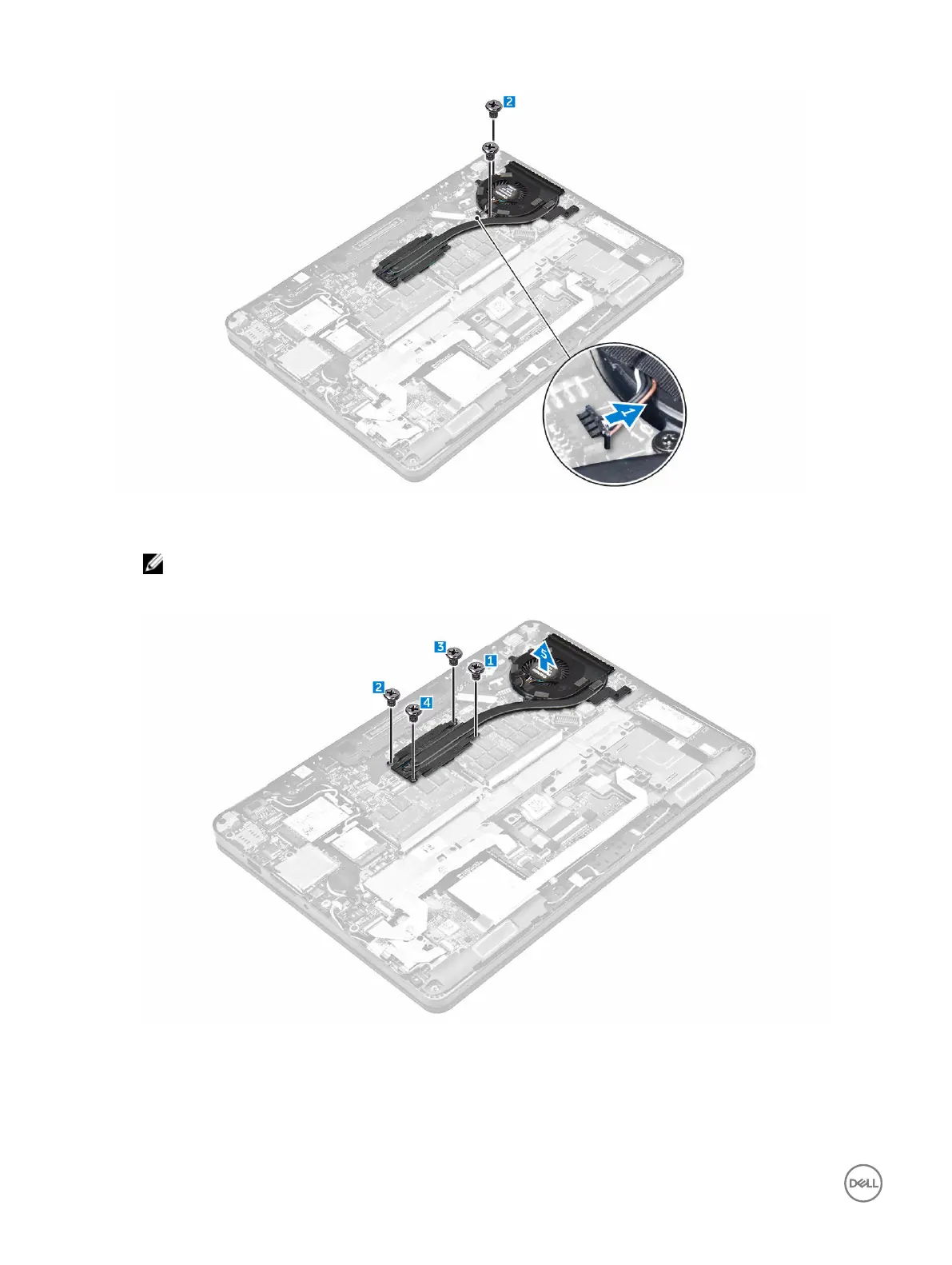
5. To remove the heat sink:
a. Remove the screws that secure the heat sink assembly to the system board [1, 2, 3, 4].
NOTE: Remove the screws that secure the heat sink to the system board in the order of the callouts shown [1,
2, 3, 4].
b. Lift the heat sink assembly from the system board [5].
Installing the heat sink assembly
1. Align the heat sink assembly with screw holders on the system board.
2. Tighten the screws to secure the heat sink assembly to the computer and system board.
20














 To Next Page