i. dock frame
j. power connector port
k. system board
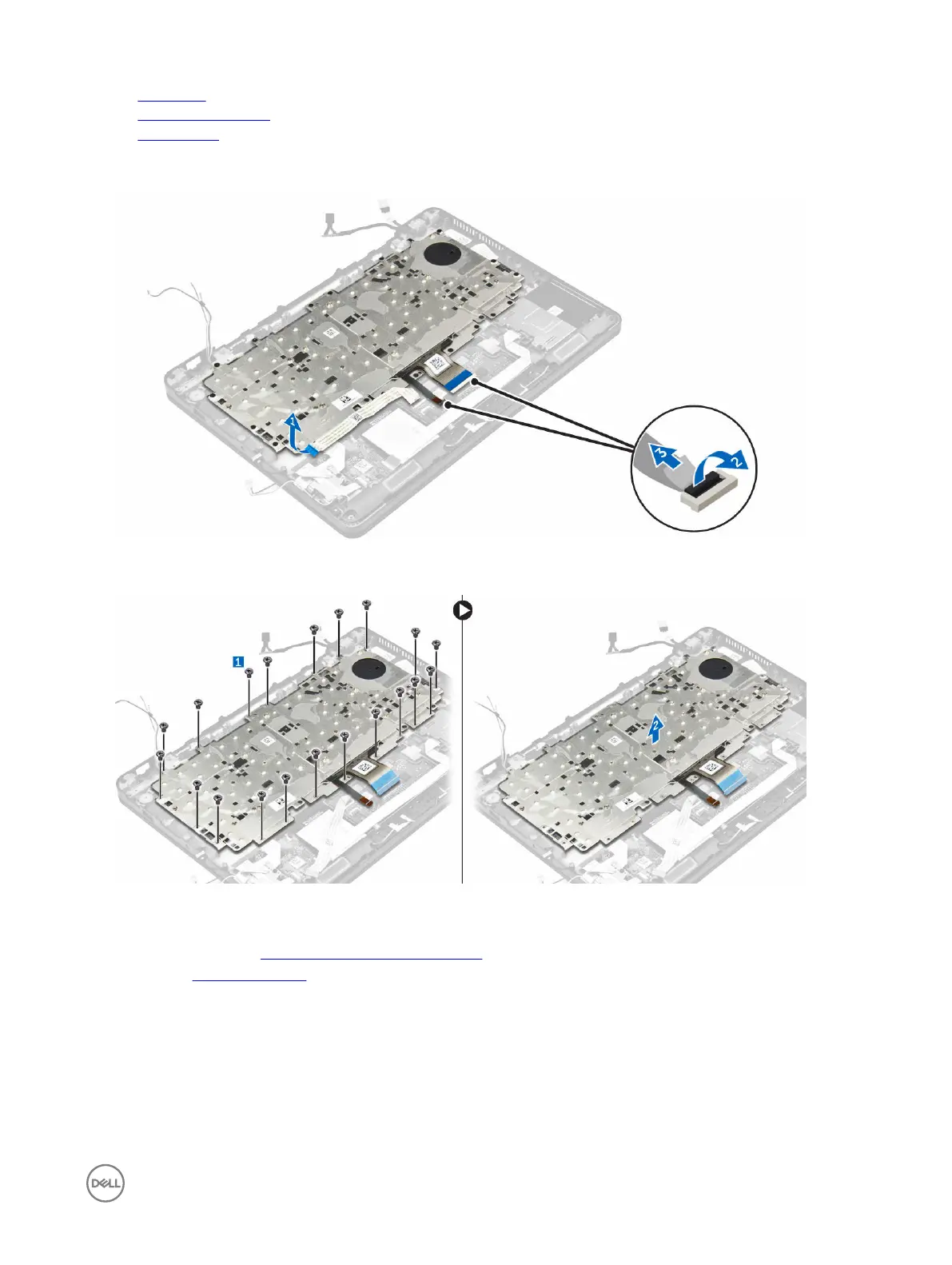
3. Peel the touchpad cable from the keyboard assembly [1].
4. Disconnect the keyboard cables from the connectors on the touchpad board [2, 3].
5. Remove the screws that secure the keyboard assembly to the computer [1].
6. Lift the keyboard assembly from the computer [2].
Removing the keyboard from the keyboard tray
1. Follow the procedure in Before working inside your computer.
2. Remove the keyboard assembly.
3. Remove the screws that secure the keyboard to the keyboard assembly [1].
4. Lift the keyboard away from the keyboard tray [2].
25














 To Next Page