a. display bezel
NOTE: This is applicable only for non touch systems.
b. display panel
NOTE: This is applicable only for touch systems.
c. display assembly
d. battery
e. base cover
4. Follow the procedure in After working inside your system.
eDP cable
Removing the eDP cable
1. Follow the procedure in Before working inside your computer.
2. Remove the:
a. base cover
b. battery
c. display assembly
d. display bezel
NOTE: This is applicable only for non touch systems.
e. display panel
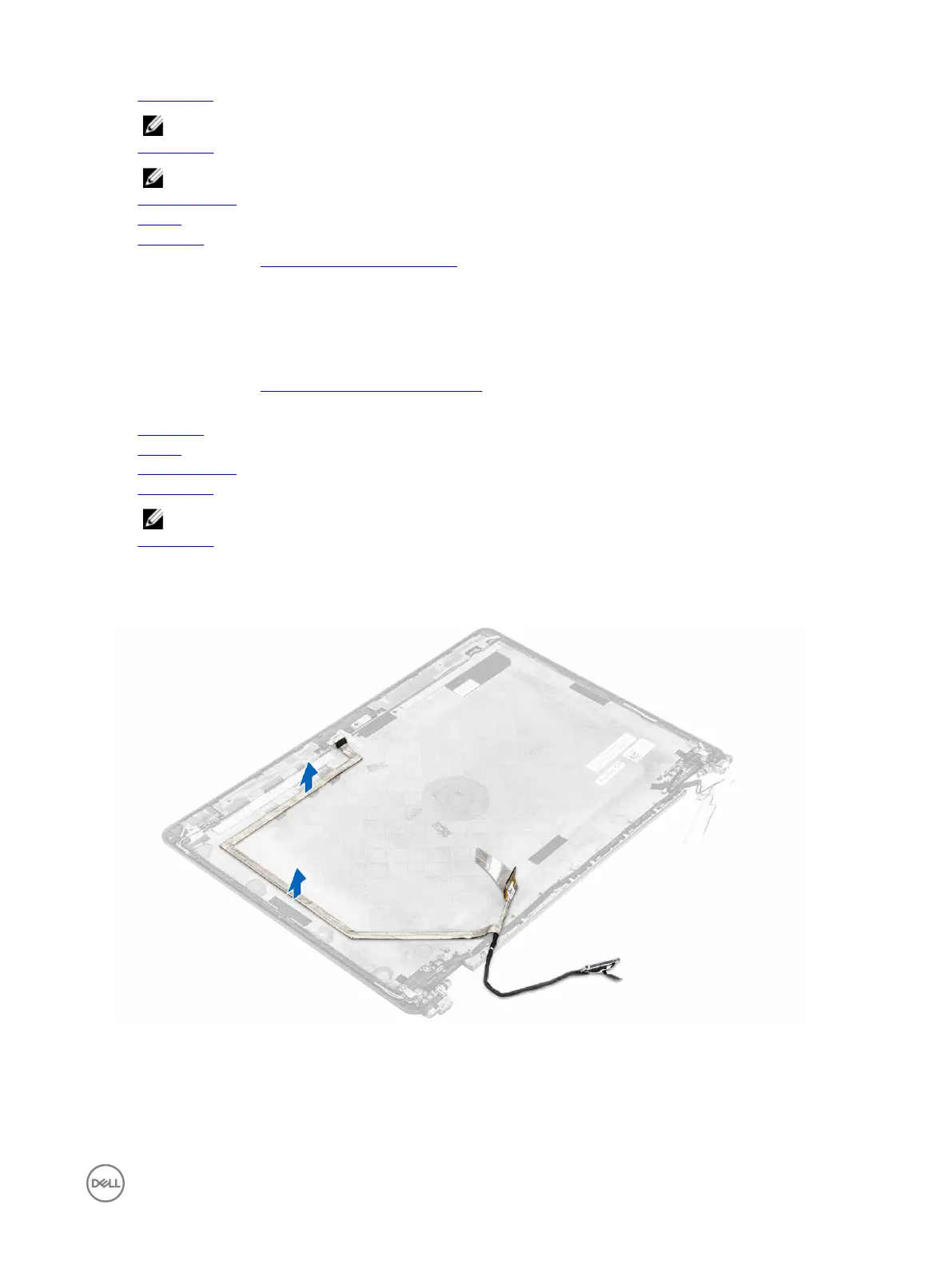
3. Disconnect the camera cable from the camera [1].
4. Peel the camera cable adhesive and unroute the eDP and display cable from the routing clips on the display assembly [2, 3].
5. Remove the eDP cable from the display assembly.
Figure 3. Removing the eDP cable for non touch systems
35














 To Next Page