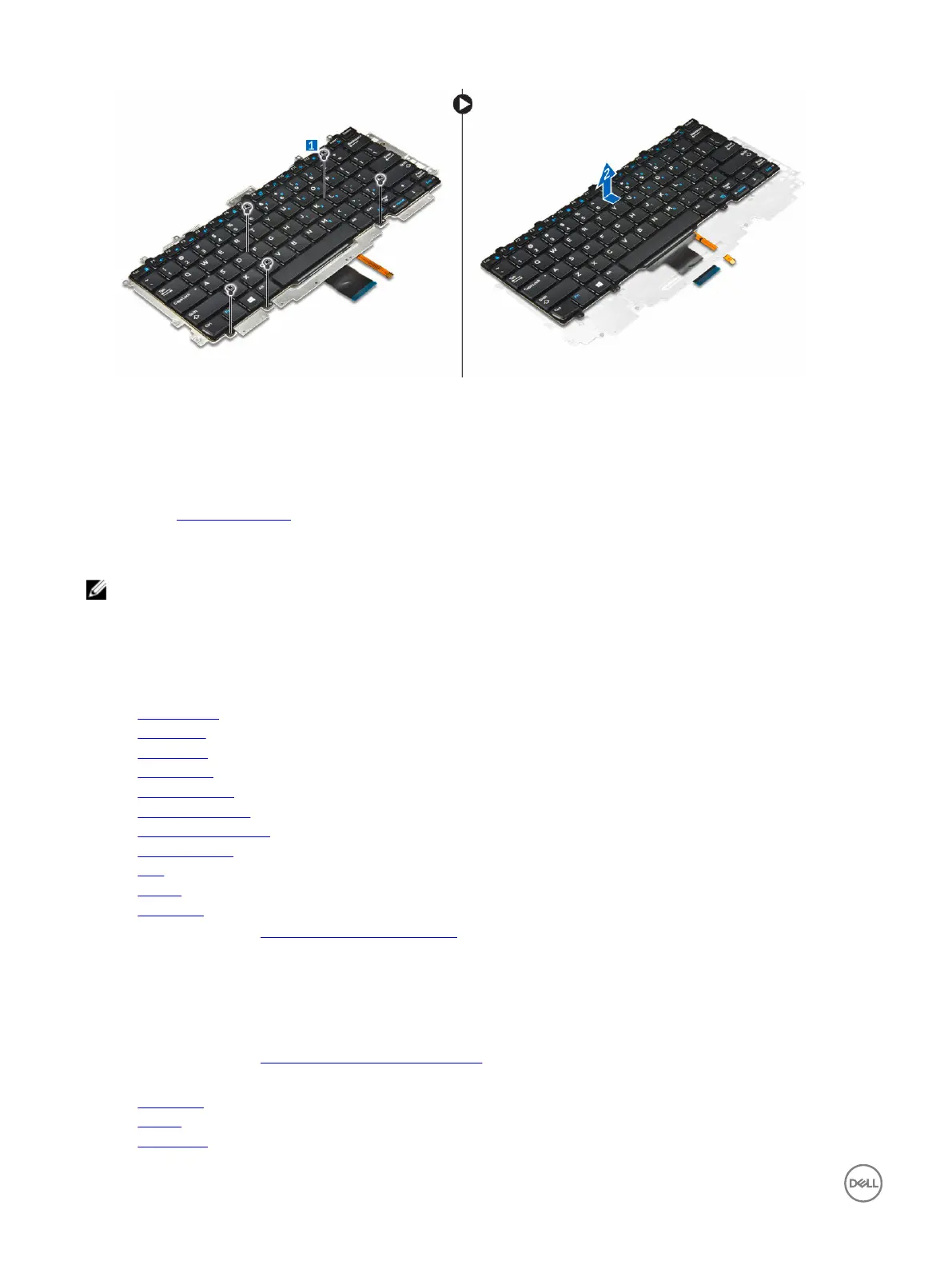
Installing the keyboard to the keyboard tray
1. Route the keyboard cables through the slot on the keyboard tray.
2. Align the keyboard with the screw holders on the keyboard tray.
3. Tighten the screws to secure the keyboard to the keyboard tray.
4. Install the keyboard assembly.
Installing the keyboard assembly
NOTE: The keyboard and the keyboard tray together is called the keyboard assembly.
1. Align the keyboard assembly with the screw holders on the computer.
2. Tighten the screws that secure the keyboard to the computer.
3. Connect the keyboard cables to the connectors on the touchpad board.
4. Install the:
a. system board
b. dock frame
c. WLAN card
d. WWAN card
e. memory module
f. heat sink assembly
g. power connector port
h. coin cell battery
i. SSD
j. battery
k. base cover
5. Follow the procedure in After working inside your system.
Display assembly
Removing the display assembly
1. Follow the procedure in Before working inside your computer.
2. Remove the:
a. base cover
b. battery
c. WLAN card
26














 To Next Page