g. WWAN card
h. heat sink assembly
i. coin cell battery
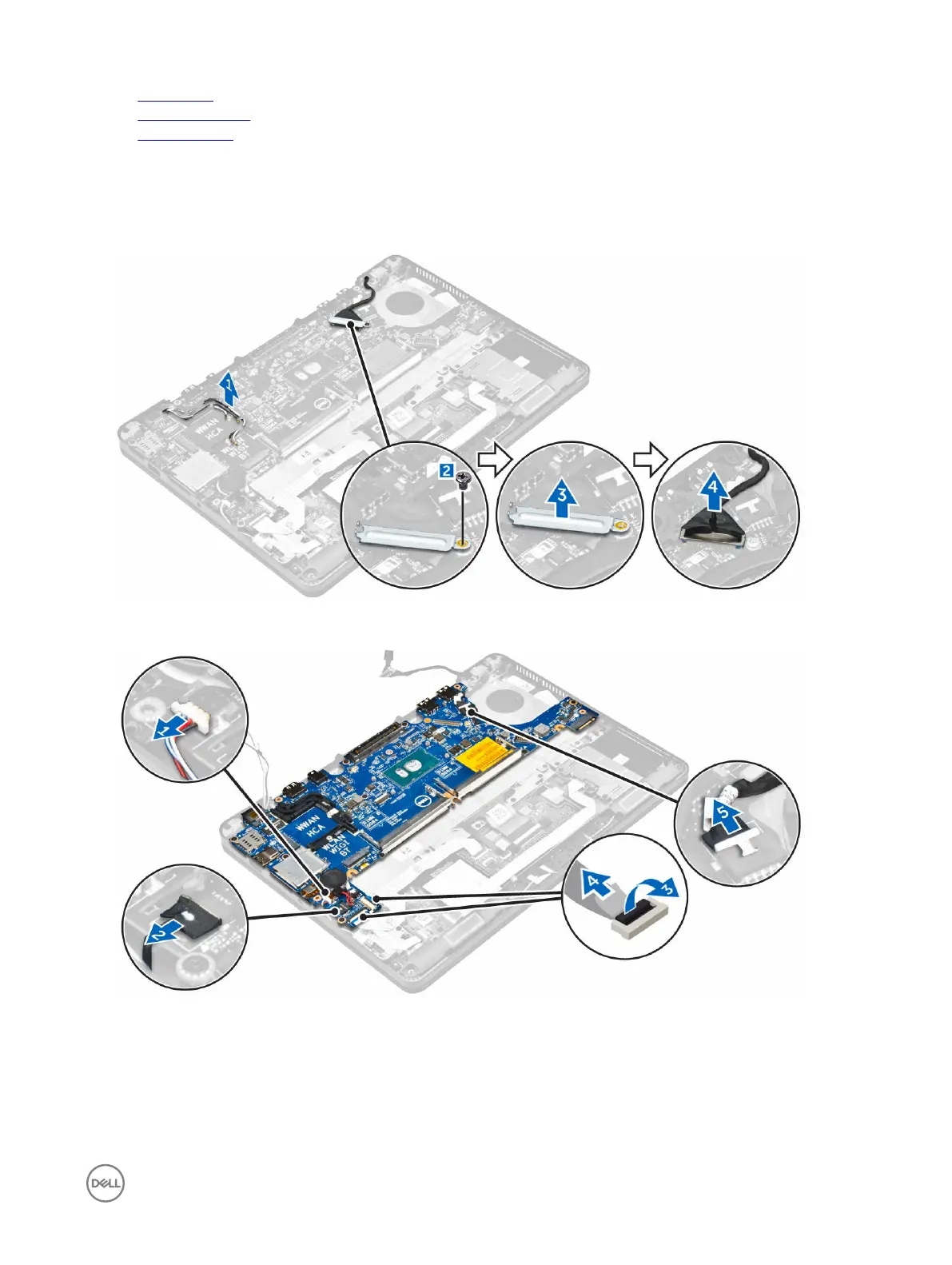
3. To remove the display assembly cable:
a. Unroute the WWAN and WLAN cables [1].
b. Remove the screw that secures the display assembly cable bracket to the system board [2].
c. Lift the display assembly cable bracket from the computer [3].
d. Disconnect the display assembly cable from the computer [4].
4. Disconnect the speaker cable [1], LED board cable [2], USH board cable and touchpad board cables [3, 4], power connector
port cable [5].
5. To remove the system board:
a. Remove the screws that secure the metal bracket to the system board [1]
b. Lift the metal bracket [2].
c. Remove the screws that secure system board to the computer [3].
d. Lift the system board from the computer [4].
23














 To Next Page