d. display bezel
NOTE: This is applicable only for non touch systems.
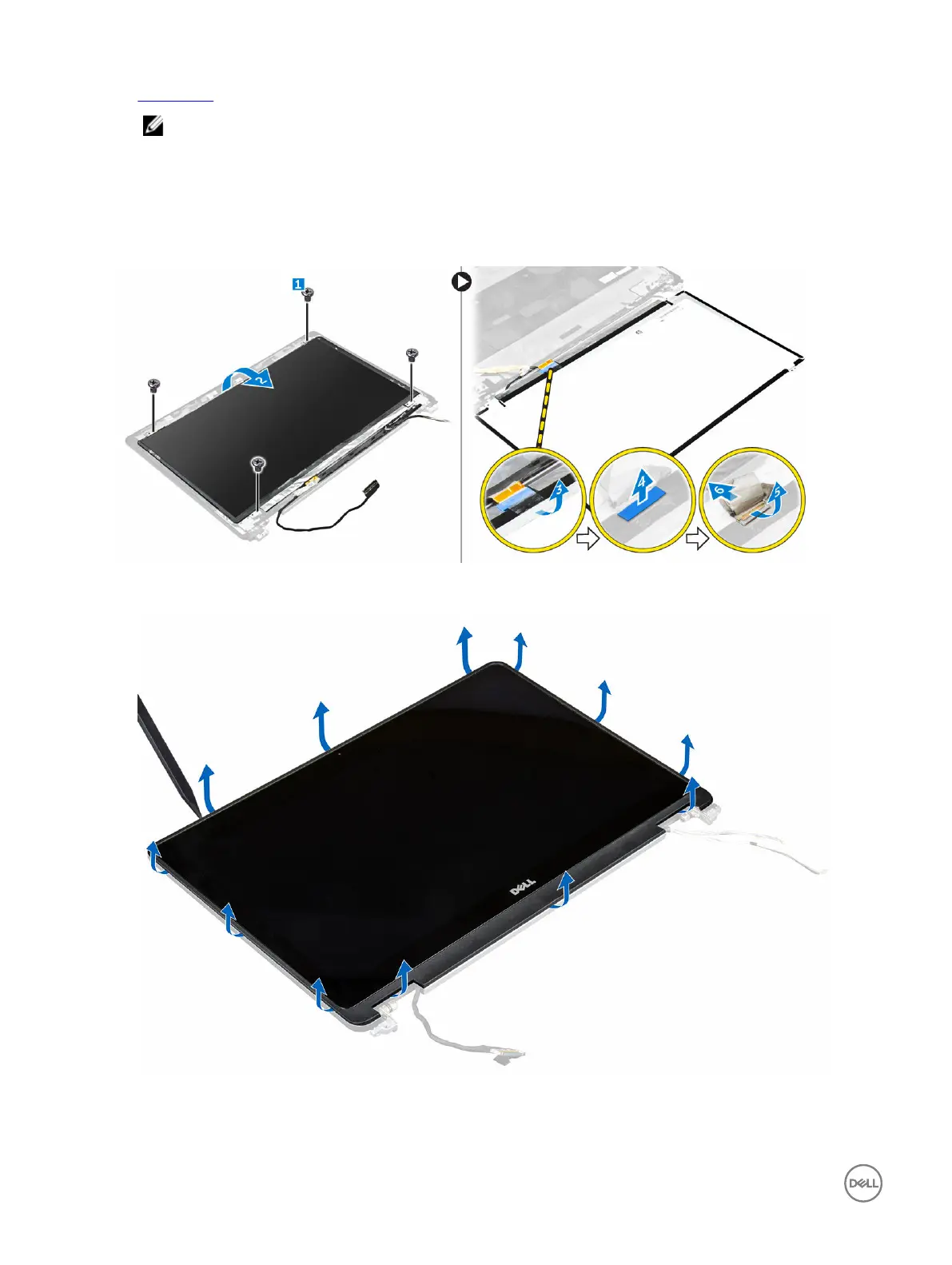
3. To remove the display panel for non touch systems:
a. Remove the screws that secure the display panel to the display assembly [1].
b. Lift the display panel and turn the display panel over to access the eDP cable [2].
c. Peel the adhesive [3] to access the eDP cable.
d. Disconnect the eDP cable from the connector [4, 5, 6].
e. Lift the display panel.
4. To remove the display panel for touch systems:
a. Using a plastic scribe lift the edges of the display panel to disengage it from the display assembly.
b. Place the display panel facedown.
c. Slide the display assembly to access the eDP cable.
30














 To Next Page