EasyManua.ls Logo

Dell M5200 Medium Workgroup Mono Laser Printer - Unpacking the Printer

Dell M5200 Medium Workgroup Mono Laser Printer
228 pages
Print Icon
To Next Page IconTo Next Page
To Previous Page IconTo Previous Page
Loading...
Unpacking the printer
Select a location for your printer.1.
CAUTION: The printer requires at least two people to lift it safely.
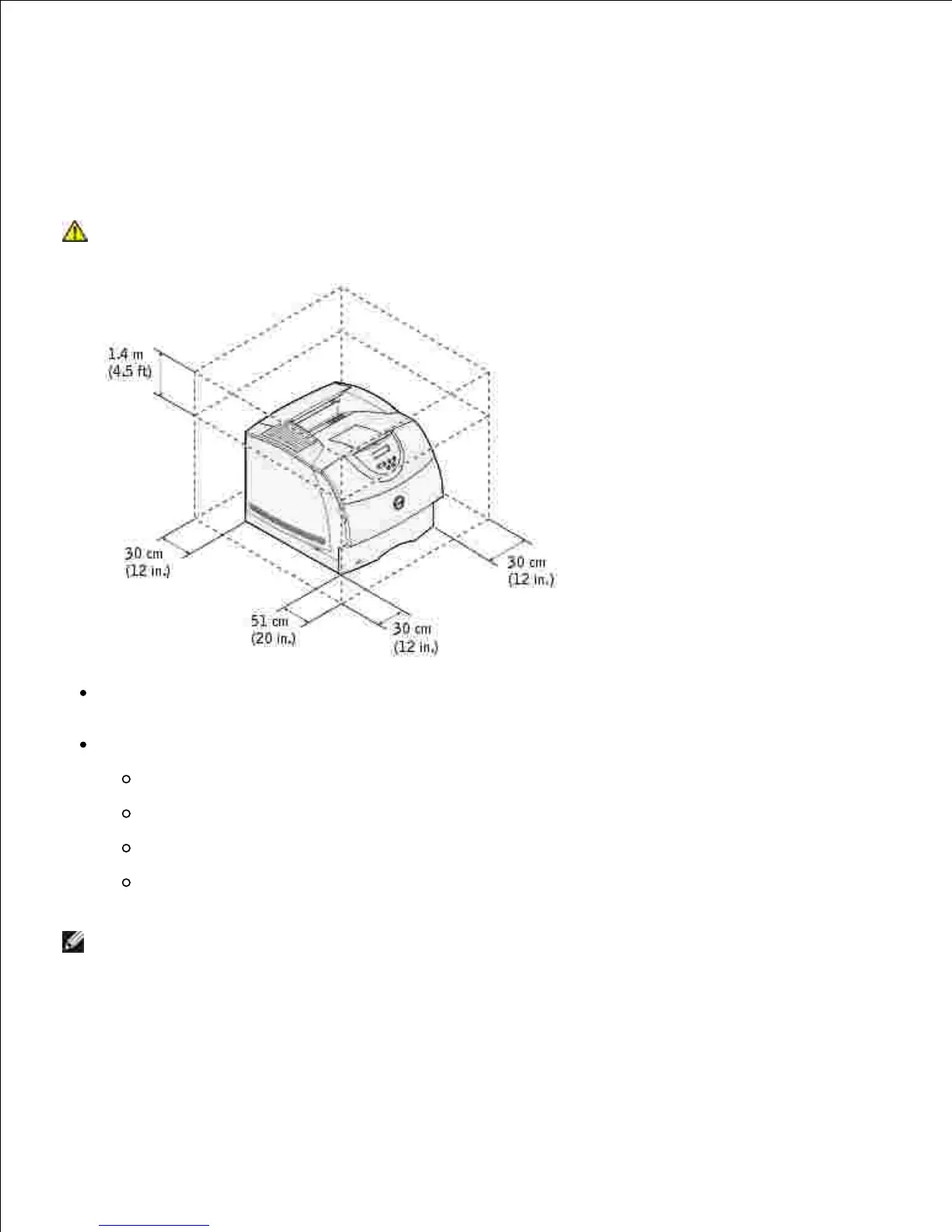
Leave enough room to open the printer trays, covers, doors, and options. It is also important to allow
space around the printer for proper ventilation.
Provide the proper environment:
A firm, level surface
Away from the direct airflow of air conditioners, heaters, or ventilators
Free of sunlight, humidity extremes, or temperature fluctuations
Clean, dry, and free of dust

NOTE: Leave the printer in the box until you are ready to install it.
Remove all items from the box except the printer. Make sure you have the following items:2.

Table of Contents

Related product manuals