EasyManua.ls Logo

Dell M5200 Medium Workgroup Mono Laser Printer - Loading Letterhead

Dell M5200 Medium Workgroup Mono Laser Printer
228 pages
Print Icon
To Next Page IconTo Next Page
To Previous Page IconTo Previous Page
Loading...
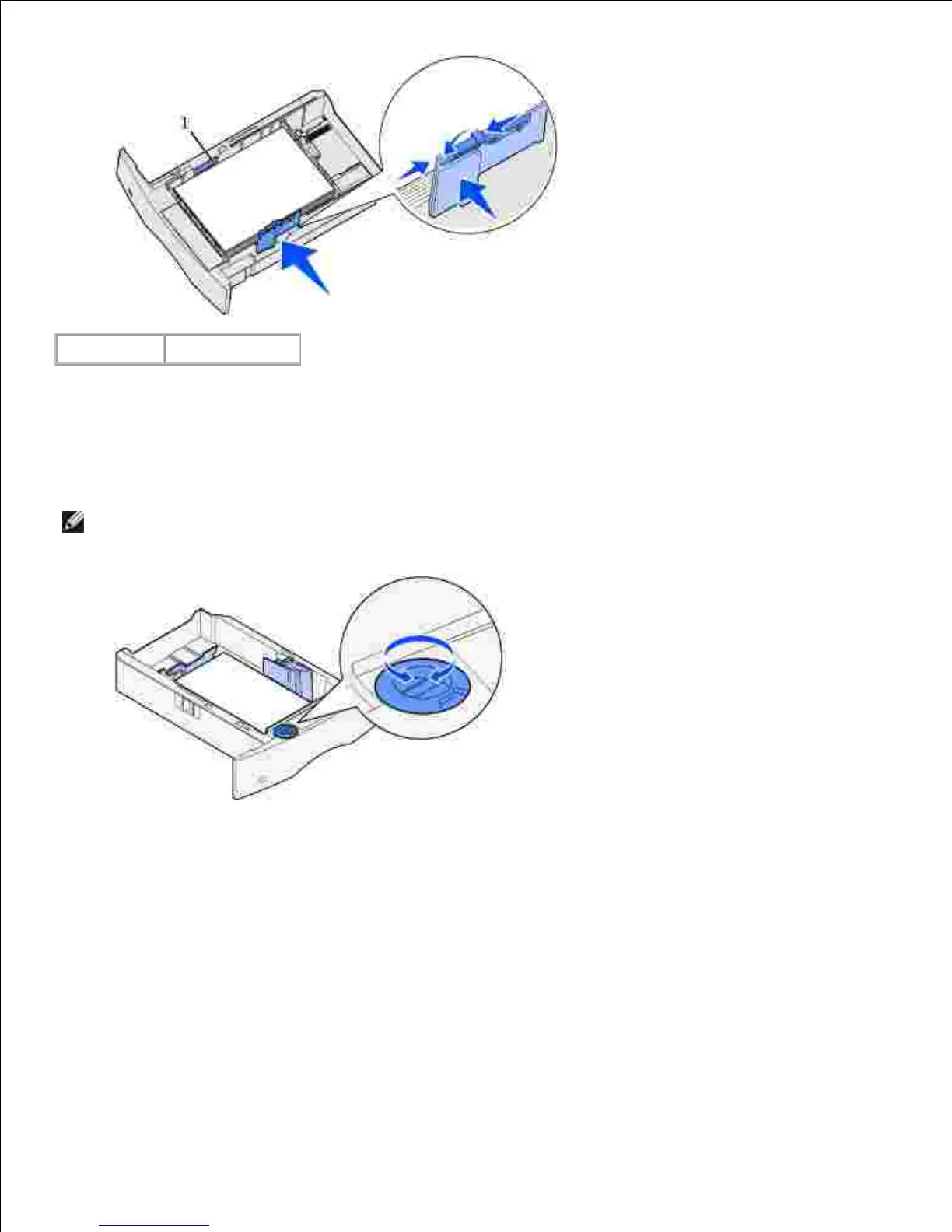
1
Load line
Squeeze the width guide tab and the side of the guide together. Slide the width guide to the left until it
lightly rests against the edge of the stack.
6.
For optional trays only, adjust the knob to show the size of the print media currently loaded.7.
NOTE: This setting serves as a visual reminder only; it has no effect on the operation of the printer.
Insert the tray.8.
Loading letterhead
Letterhead must be loaded differently depending on what options you have installed.
For simplex (single-sided) printing on letterhead, place the printed side face down as shown.

Table of Contents

Related product manuals