EasyManua.ls Logo

Dell M5200 Medium Workgroup Mono Laser Printer - Page 199

Dell M5200 Medium Workgroup Mono Laser Printer
228 pages
Print Icon
To Next Page IconTo Next Page
To Previous Page IconTo Previous Page
Loading...
1
Metal tab
2
Cylinder part
Remove any packaging from the new charge roll.10.
NOTICE: Do not touch the cylinder part of the charge roll when installing the unit. You may touch the
metal tabs on each end to help you in the installation. Touching the cylinder part will contaminate the
charge roll and affect printing.
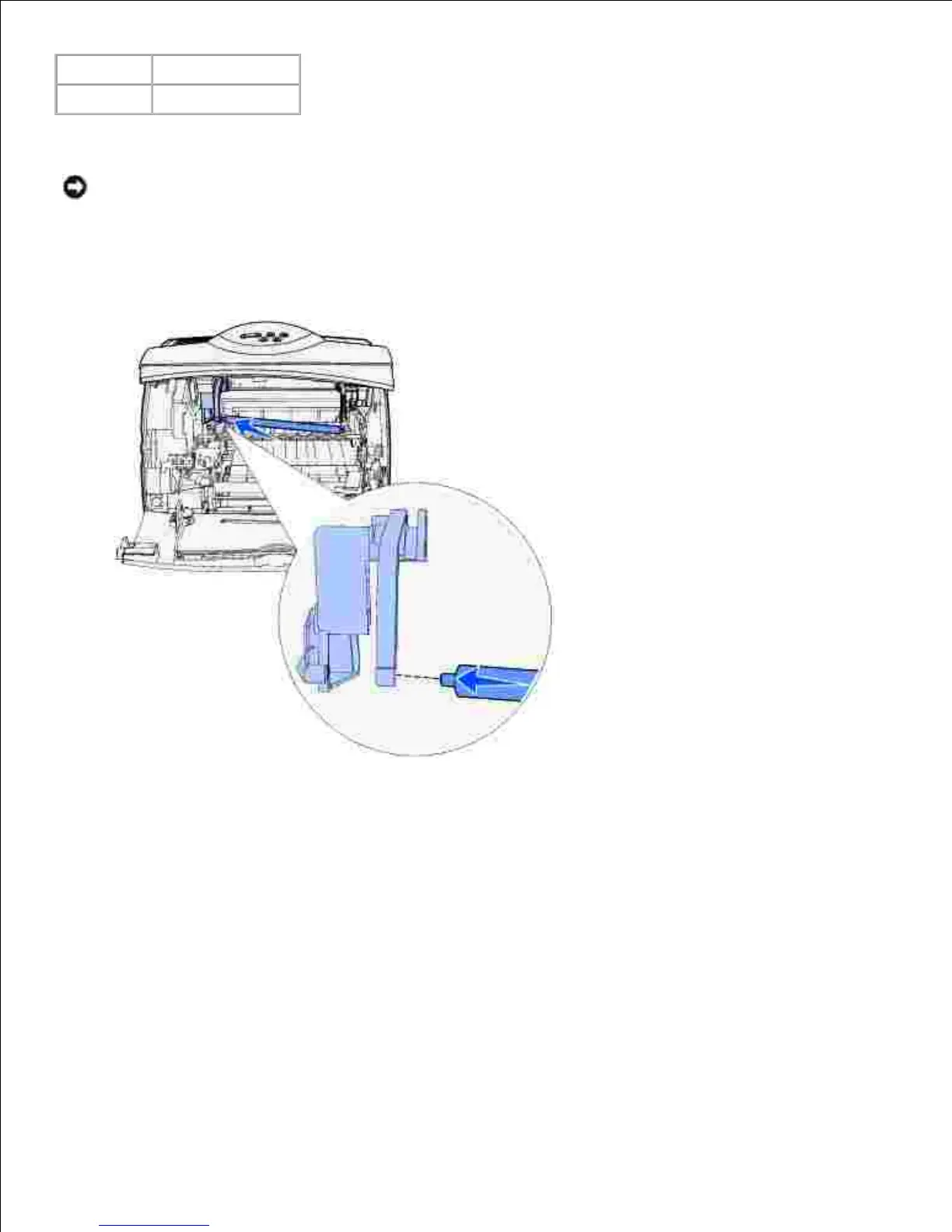
Align the metal tab on the left side of the new charge roll with its hole and insert it.11.
Raise the right side of the charge roll.12.
Push the arm-like tab with the right arrow label on it to the right.13.
Lift the right side of the charge roll and insert it into its hole.14.

Table of Contents

Related product manuals