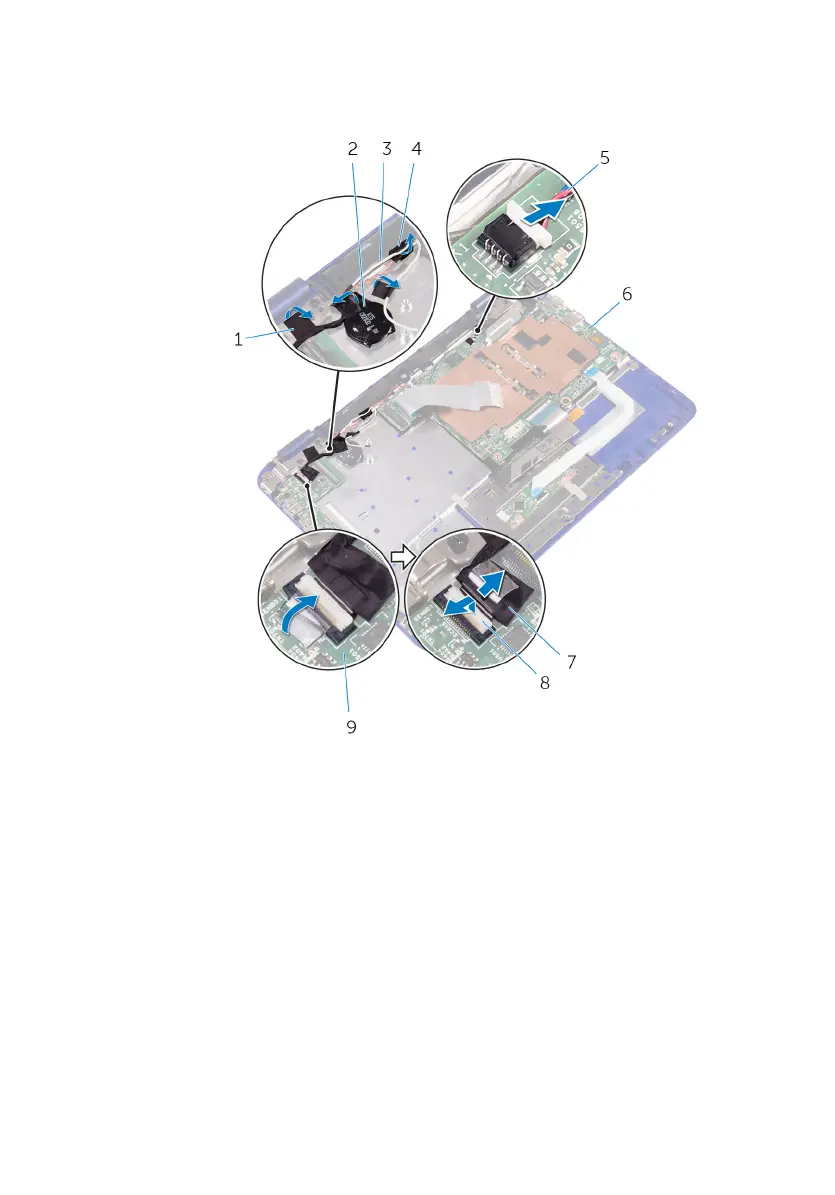
5 Open the latch and disconnect the sensor-board cable from the I/O board.
1 tape 2 coin-cell battery
3 antenna cable 4 routing guide
5 speaker cable 6 system board
7 sensor-board cable 8 latch
9 I/O board
6 Remove the screw that secures the display-cable bracket to the system board.
7 Open the display-cable bracket o the system board.
8 Peel o the tape to access the display cable.
57



 To Next Page