NOTE: If you have purchased the touch version of this computer, you will not be able to further disassemble the display.
Instead the entire display assembly needs to be replaced.
2 Remove the:
a back cover
b battery
c WLAN card
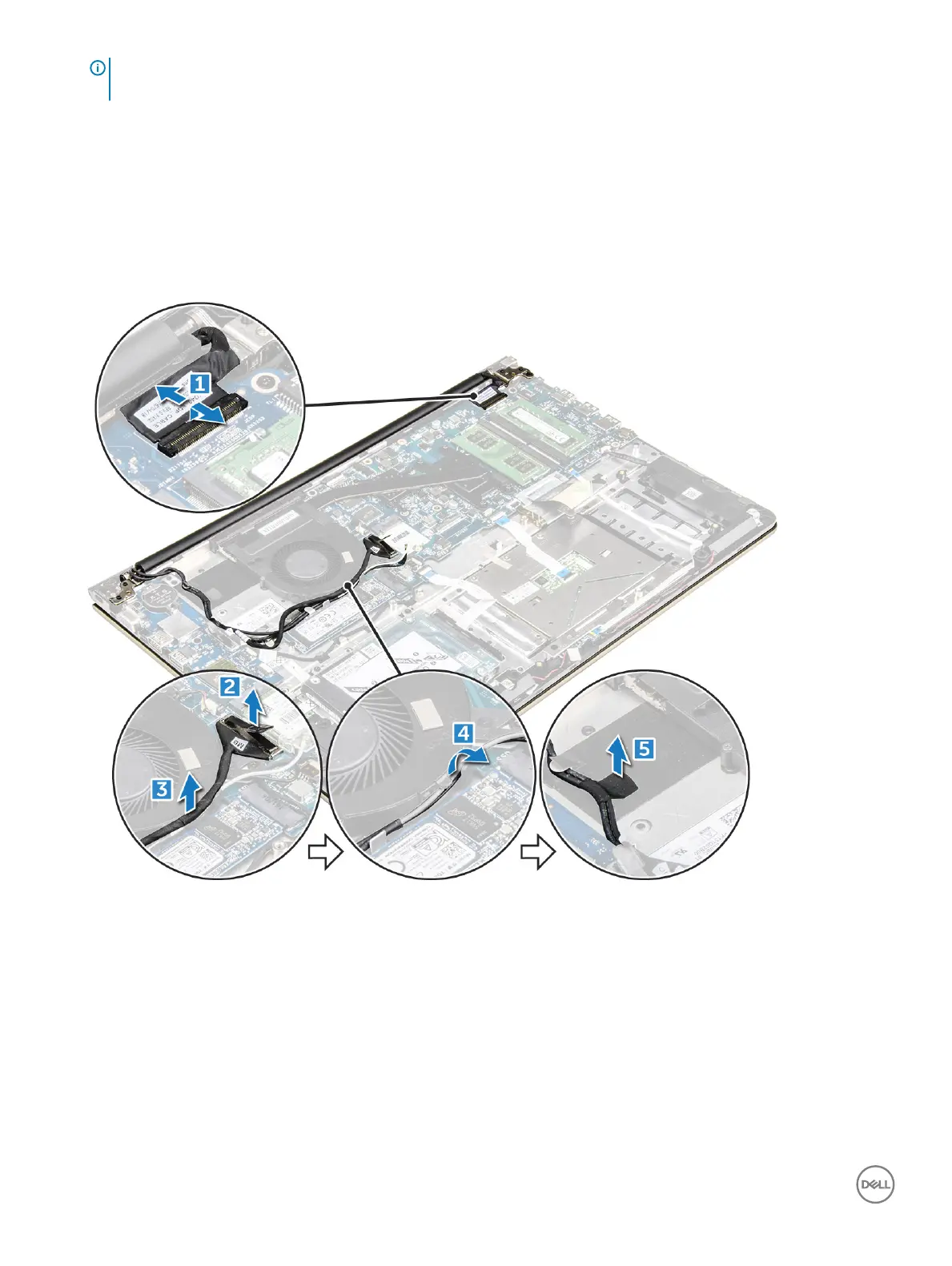
3 To remove the display hinges:
a Lift the tab to disconnect the display cables from the system board [1] .
b Lift the display cable latch [2] .
c Unroute the display cable from around the system fan [3] [4].
d Peel away the tape that attaches the display cable to the computer. [5]
4 Flip the computer base around to access the display panel.
36
Removing and installing components



 To Next Page