d LED board
e system fan
f display assembly
g SSD
h memory
i heat sink
j system board
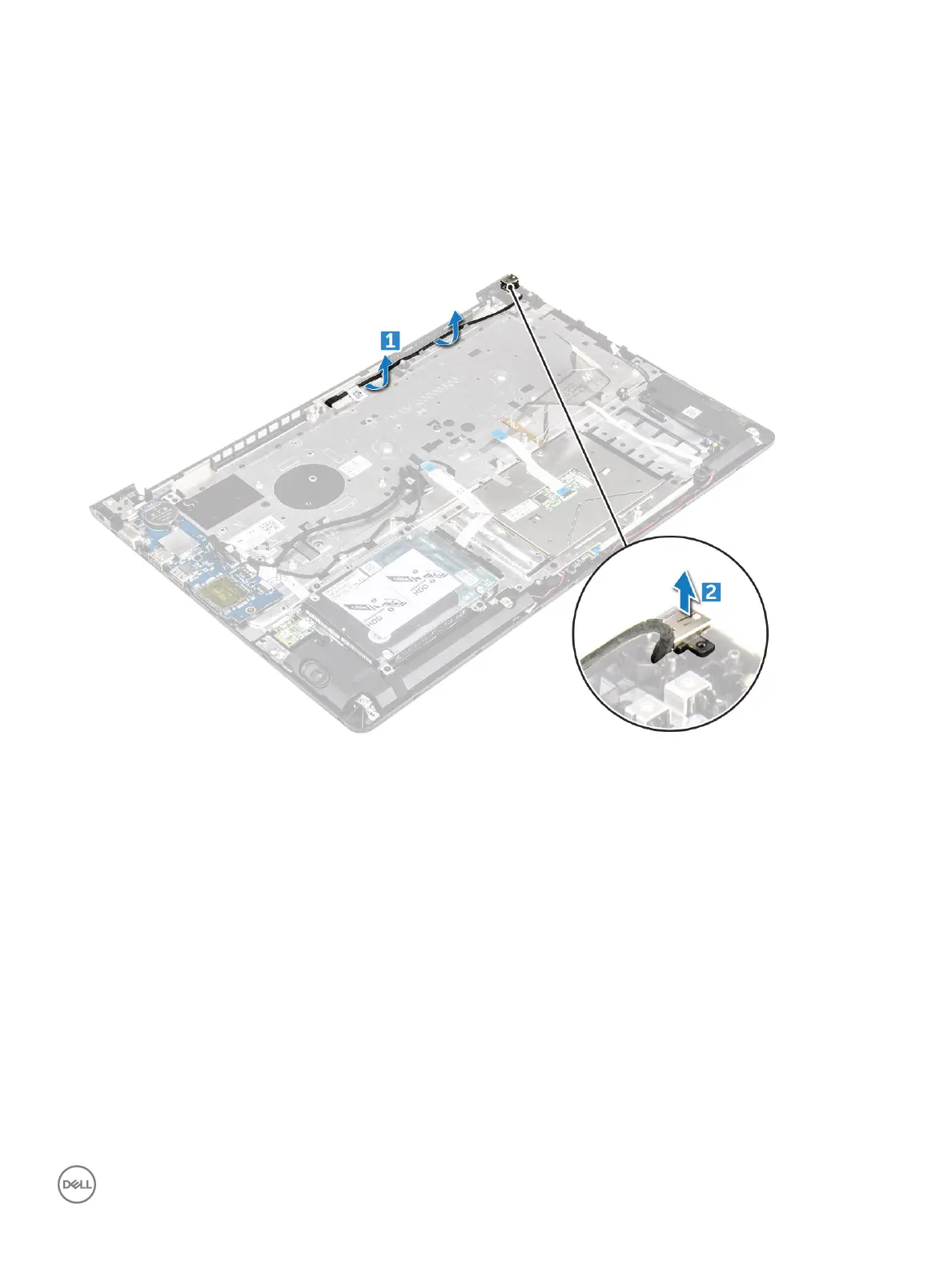
3 To remove the power connector:
a Lift the power connector cable from its routing channel. [1]
b Lift to remove the power connector from the computer. [2]
Installing the power connector
1 Align the power connector into its slot on the computer chassis.
2 Install the:
a system board
b display assembly
c system fan
d LED board
e SSD
f heat sink
g memory
h WLAN card
i battery
j back cover
3 Follow the procedure in After working inside your computer
Removing and installing components
45



 To Next Page