10
Charging the headset
Charging the headset
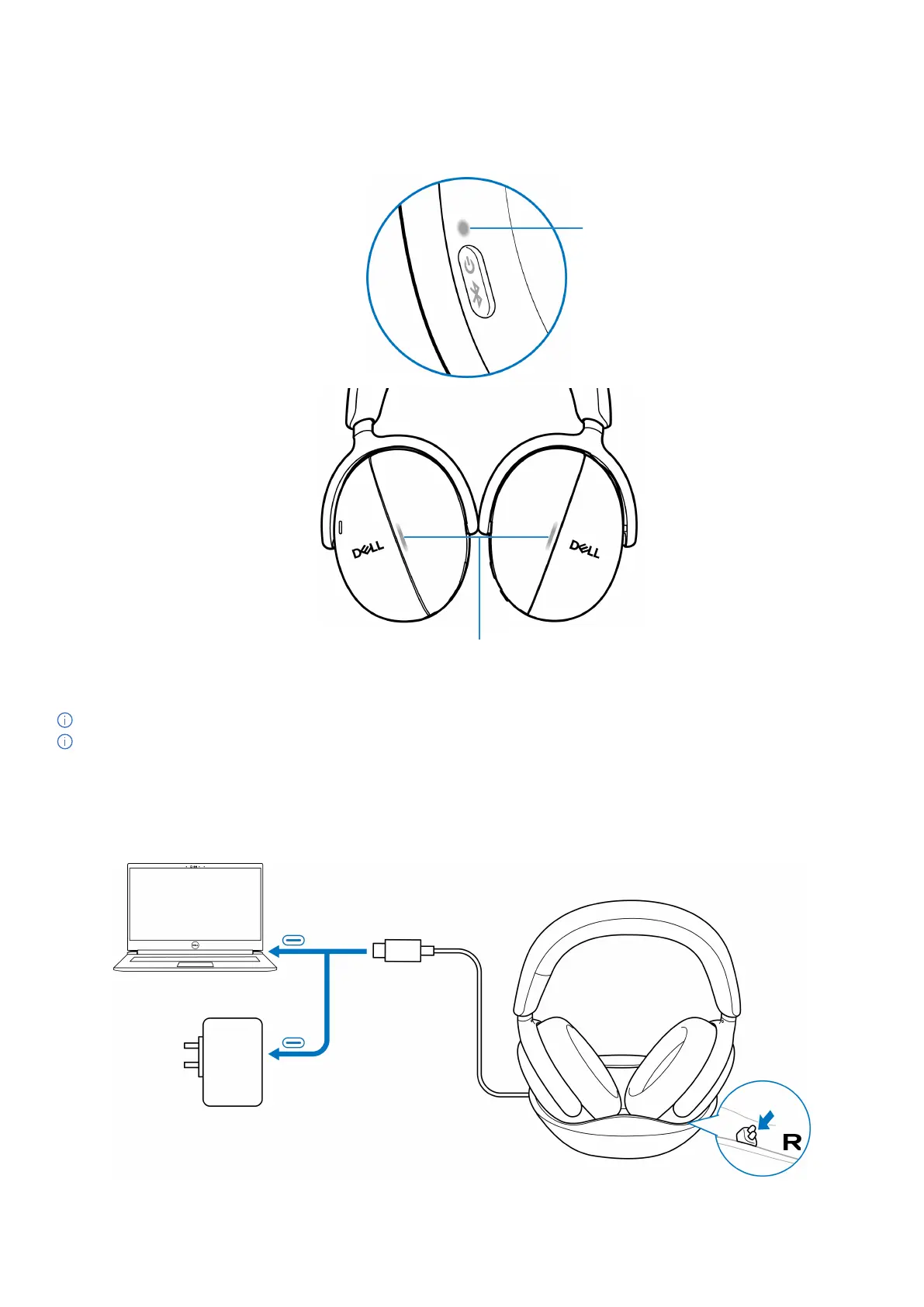
The headset can be charged using the USB Type-C charging cable or the charging dock. When it is charging, the power LED and busy light
LED light up white and the LEDs turn off when the battery is fully charged. Battery charging time to fully charge the headset takes about 3
hours.
Power LED
Busy light LEDs
Figure 4. Power and busy light LEDs
NOTE: Ensure that the battery is fully charged when using the headset for the first time.
NOTE: To improve battery life, ensure to turn off the power switch when the headset is not in use.
Wireless charging using the charging dock
1. Connect the wireless charging dock to the USB wall charger or USB Type-C port of your computer.
2. Place the right earcup on the right (R) side of the charging dock. Ensure the pogo pins on the dock are connected to the power port
of the right earcup.
Figure 5. Wireless charging



 To Next Page