18
Connecting your wireless headset to your devices
Configuring the headset on your computer
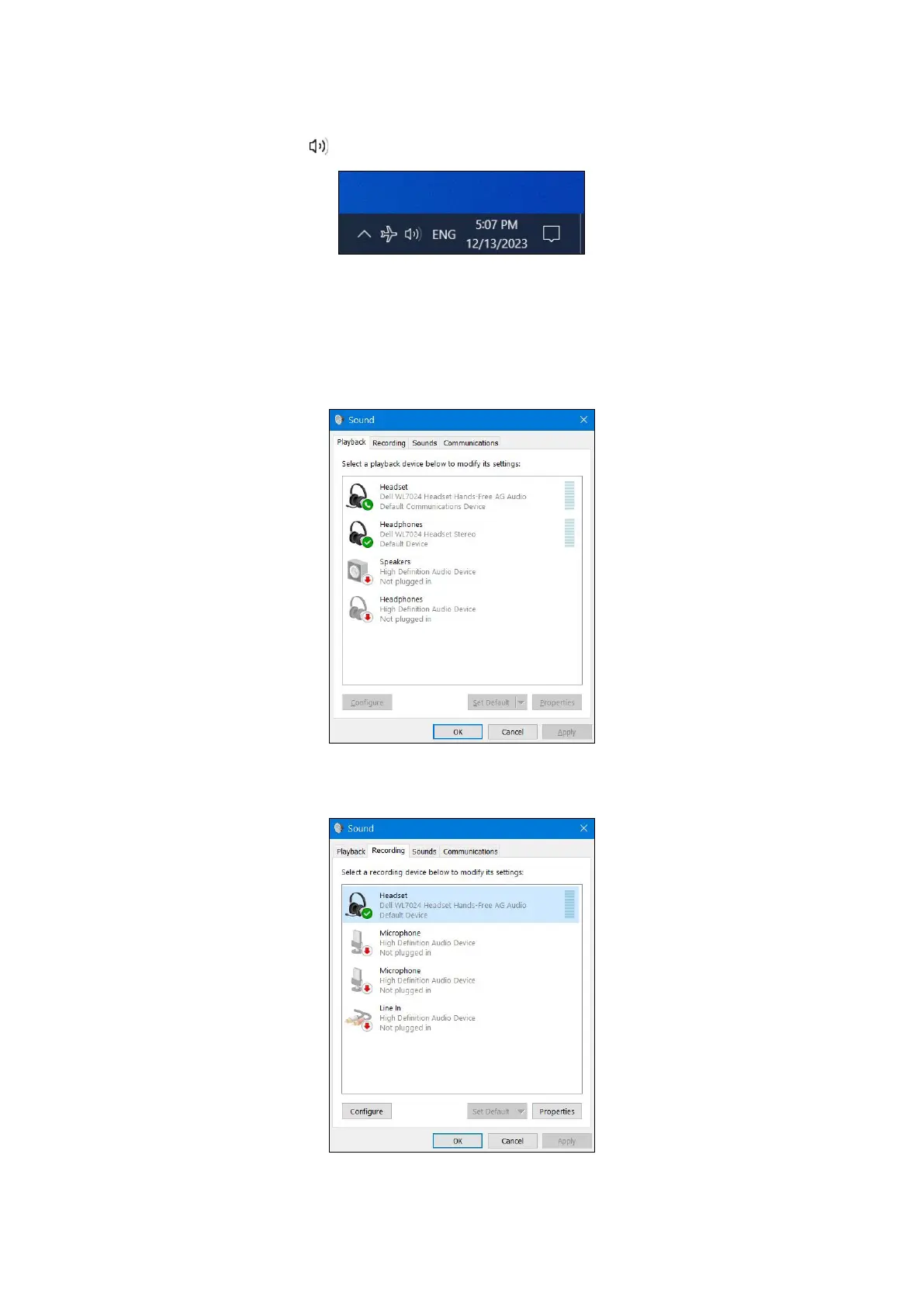
To use your headset on the computer, select the playback device and the recording device by default in Windows Audio Settings.
1. On the taskbar, right-click the speaker icon and click Sound. The sound dialogue box appears.
Figure 22. Speaker icon location
2. Click the Playback tab and set the following:
• If using the wireless audio receiver connection, select the Dell HR024 Audio Receiver as the default playback, and default
communication device.
• If using the Bluetooth connection, select the Dell Headset WL7024 as the default playback, and default communication device.
Figure 23. Sound settings
3. Click the Recording tab and set the Dell Headset WL7024 as the default device. Adjust headset microphone volume and computer
sound volume accordingly.
Figure 24. Recording tab



 To Next Page