12
Turning on or off the headset
Turning on or off the headset
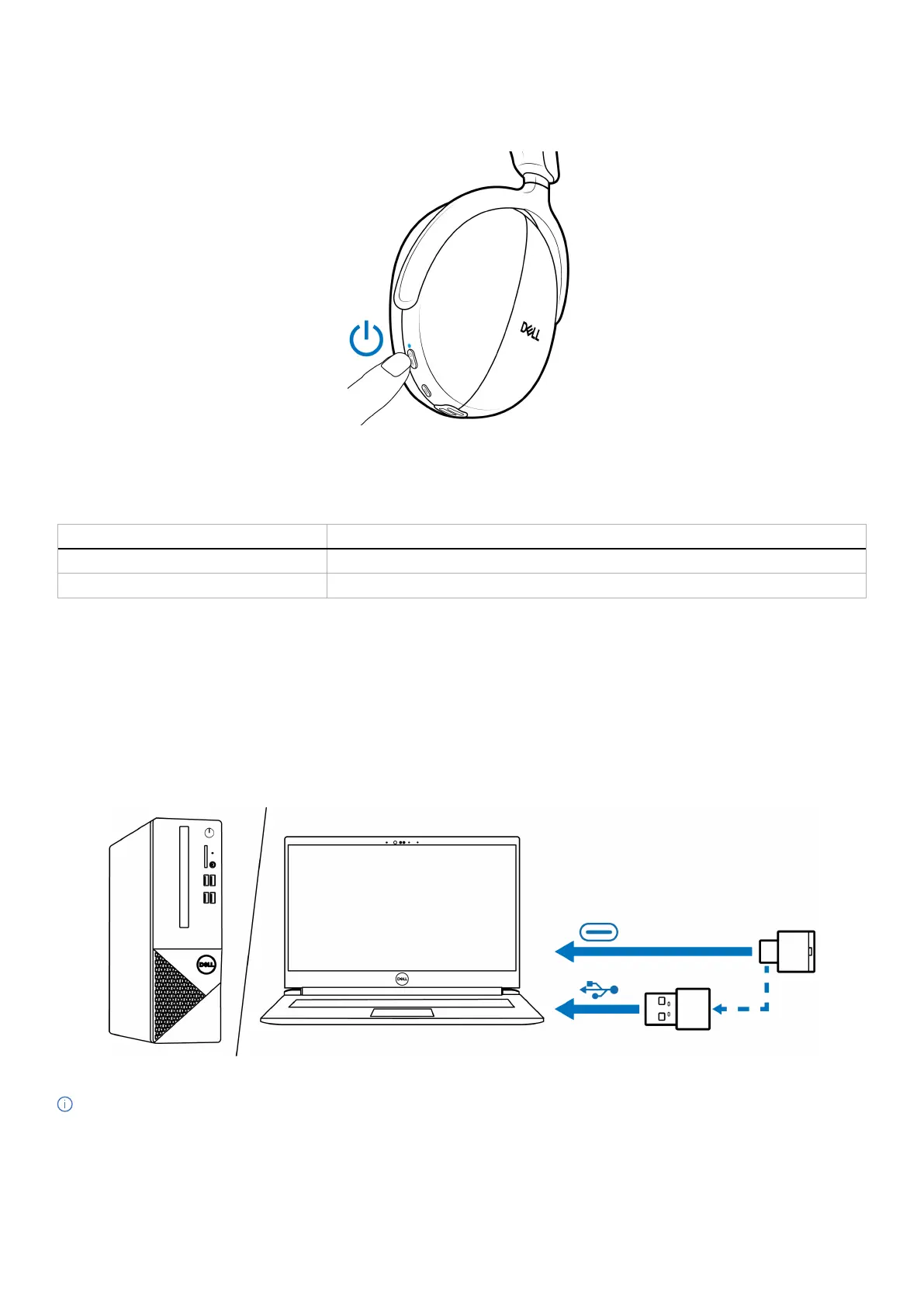
Press and hold the power button for 1 second to turn on and off the headset. You hear power on and off voice prompts.
Figure 7. Power button location
Power LED status
Table 7. Power LED status.
Status Power LED
Power on Lights up in static blue for 3 seconds, then starts flashing blue.
Power off Lights up in static blue for 1 second, then fades off.
Connecting your wireless headset to your devices
Your headset can be connected with devices using wireless audio receiver, Bluetooth and Dell Pair, or audio cable. You can connect and
switch between a laptop, desktop, or any compatible device. We recommend to use the wireless headset with the wireless audio receiver
for best experience.
Connecting the headset to your device using the wireless audio receiver
The wireless audio receiver is pre-paired with the headset in the factory. Plug the wireless audio receiver into the USB Type-C port on the
computer. A USB Type-A adapter is also provided as an alternative for connection to the USB Type-A port.
Figure 8. Connecting the wireless audio receiver
NOTE: For more information about the wireless audio receiver LED status, see Wireless audio receiver LED status on page 25.



 To Next Page