13
Connecting your wireless headset to your devices
Bluetooth Dell Pair connection
Dell Pair supports the following features:
• Detect Dell peripherals, such as wireless headset, mouse, and keyboard.
• Pair devices through Bluetooth.
Download and installation
Dell Pair is pre-installed on certain Dell computers. For more information about the list of Dell Pair compatible devices, see
www.dell.com/support/kbdoc/000201693.
If the laptop model number is supported and Dell Pair is not available, then you can manually download and install the application.
1. Open the Dell support home page: www.dell.com/support
2. In the Search support box, enter the Service Tag of your computer and then click Search.
3. In the Drivers & Downloads section, download the Dell Pair executable file.
4. Follow the on-screen instructions to complete the installation. After the installation is complete, Dell Pair is available on the Windows
start menu.
Connecting the headset to your device using Dell Pair
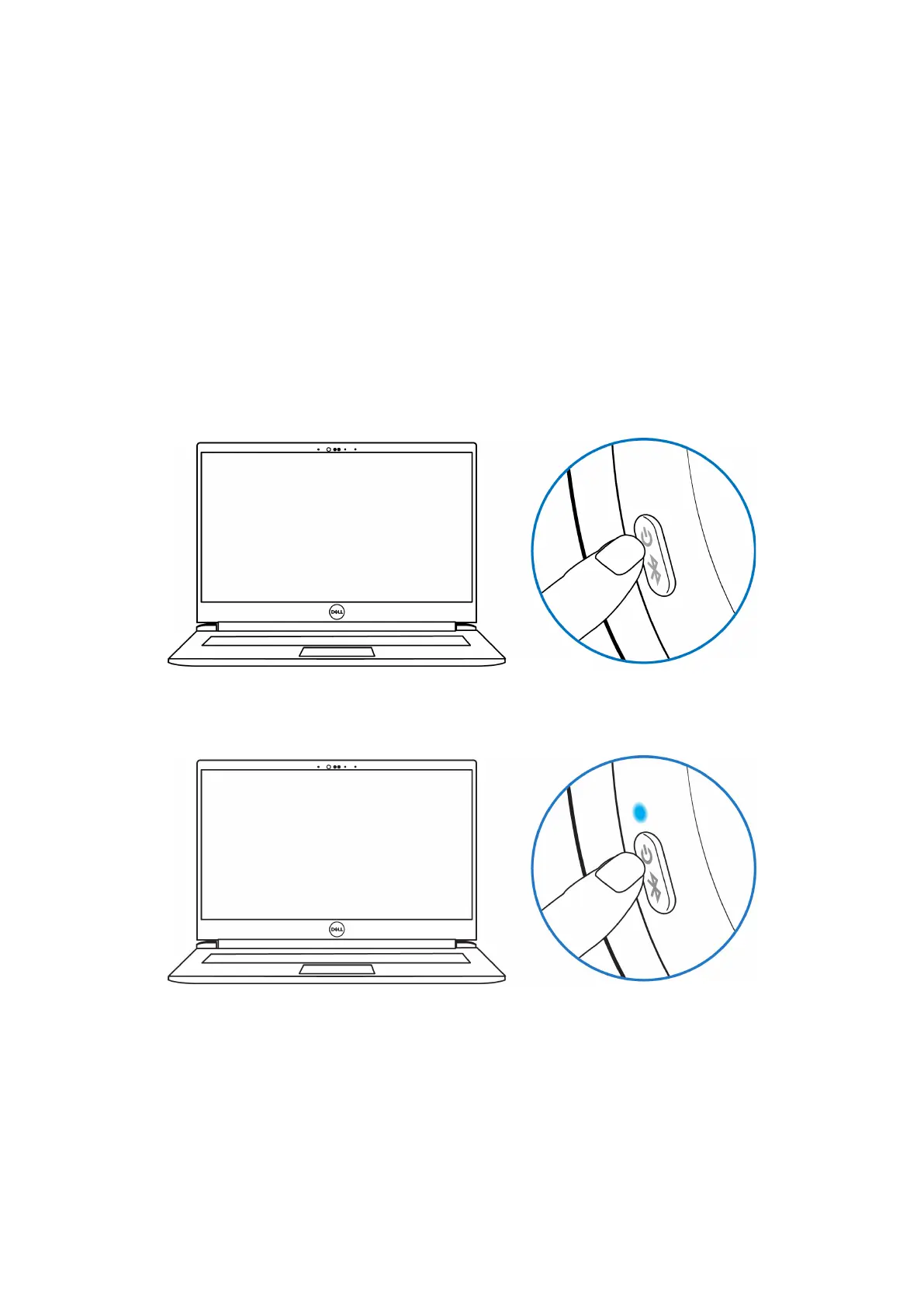
1. Place your wireless headset next to the computer, and press the power button to turn on the headset.
Figure 9. Turning on the headset
2. Press and hold the power button for 3 seconds, ensuring that the LED flashes blue, indicating the Bluetooth pairing has been initiated.
You hear Bluetooth pairing voice prompt.
Figure 10. Power LED color



 To Next Page