11
Charging the headset
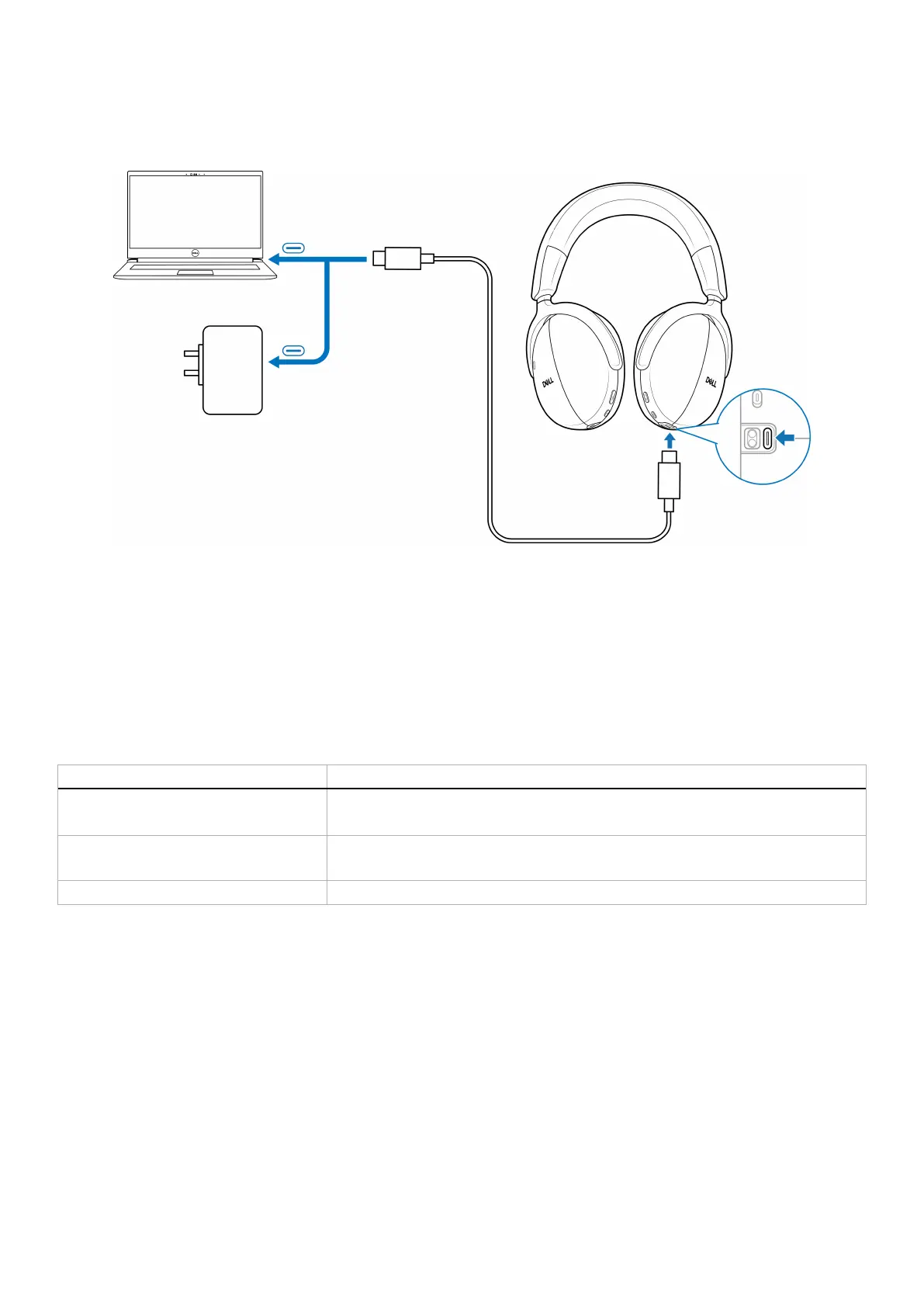
Wired charging over USB Type-C
1. Connect the USB Type-C charging cable to the USB Type-C port on your headset.
2. Connect the other end of the USB Type-C port to the computer or USB wall charger.
Figure 6. Wired charging
Battery status
You hear voice prompts of battery level when you turn on the headset - battery high or medium or low.
• High: Prompted when the battery level is between 70% to 100%.
• Medium: Prompted when the battery level is between 69% to 10%.
• Low: Prompted when the battery level is under 10% and right before powering off.
Battery life
Table 6. Battery life.
Activity/mode Battery life
Talk time • Up to 28 hours if ANC and busy light are off.
• Up to 26 hours if ANC is on and busy light is off.
Listening time • Up to 80 hours if ANC and busy light are off.
• Up to 60 hours if ANC is on and busy light is off.
Sleep mode The headset enters the sleep mode after 4 hours of inactivity.



 To Next Page