24
Using the headset
Multimedia and call functions
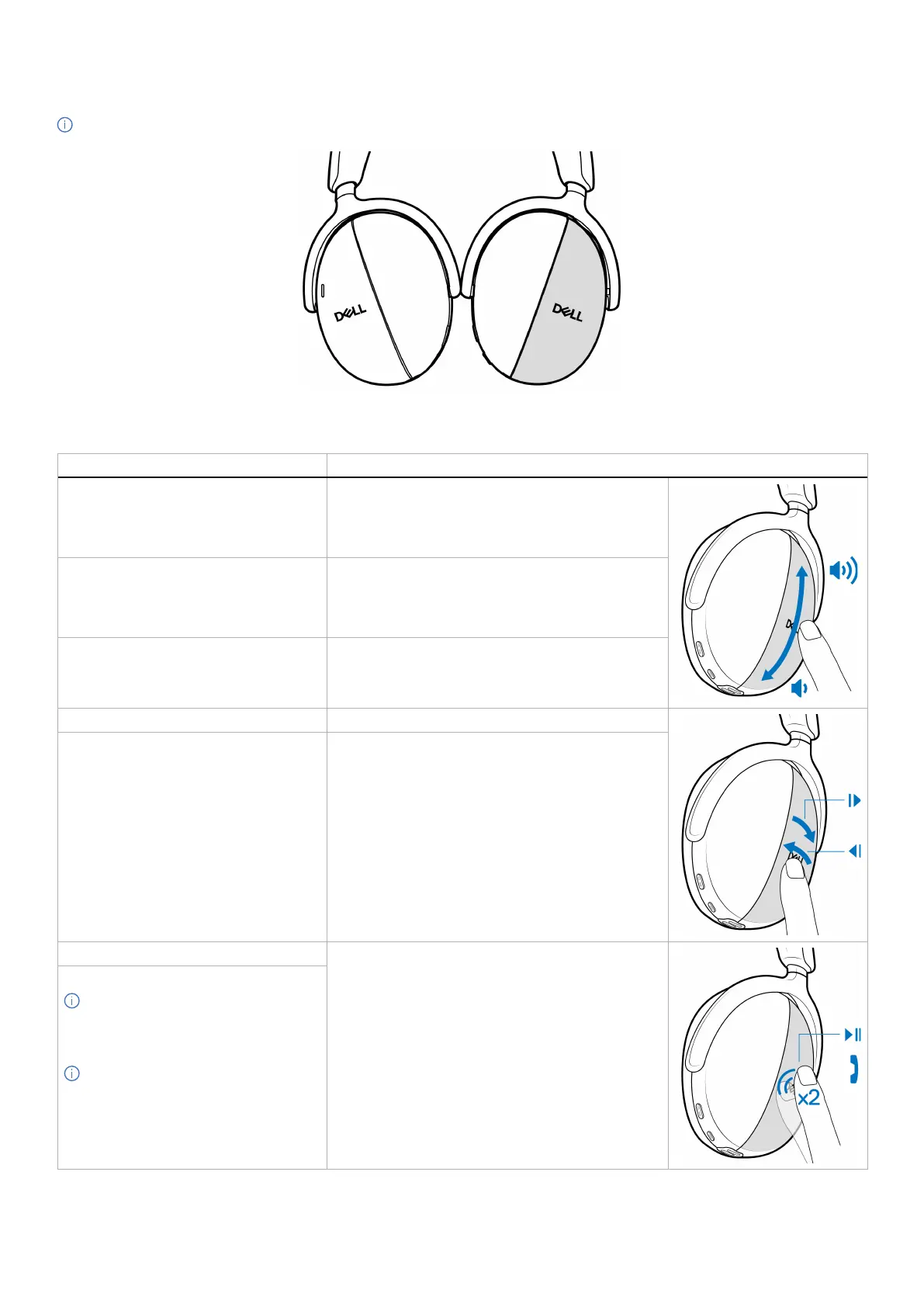
NOTE: Multimedia and call functions can be performed using the right earcup’s touch zone.
Figure 31. Touch active zone on the right earcup
Table 9. Multimedia and call functions.
Function Action
Increase volume • Swipe up repeatedly until you reach the preferred
volume level.
• When you have reached the maximum volume level,
you hear a double beep audio prompt.
Decrease volume • Swipe down repeatedly until you reach the
preferred volume level.
• When you have reached the minimum volume level,
you hear a double beep audio prompt.
Continuous volume change Swipe and hold in the preferred direction.
Go to the next track. Swipe to the right
Go to the previous track. Swipe to the left
Play or pause. Tap twice on the touch zone.
Answer and end the call.
NOTE: During the call, the busy light
LED turns static red on both earcups.
You can modify the busy light LED
behavior on Dell Peripheral Manager.
NOTE: You hear a ringtone of an
incoming call.



 To Next Page