25
Input: ID number, Date and Time
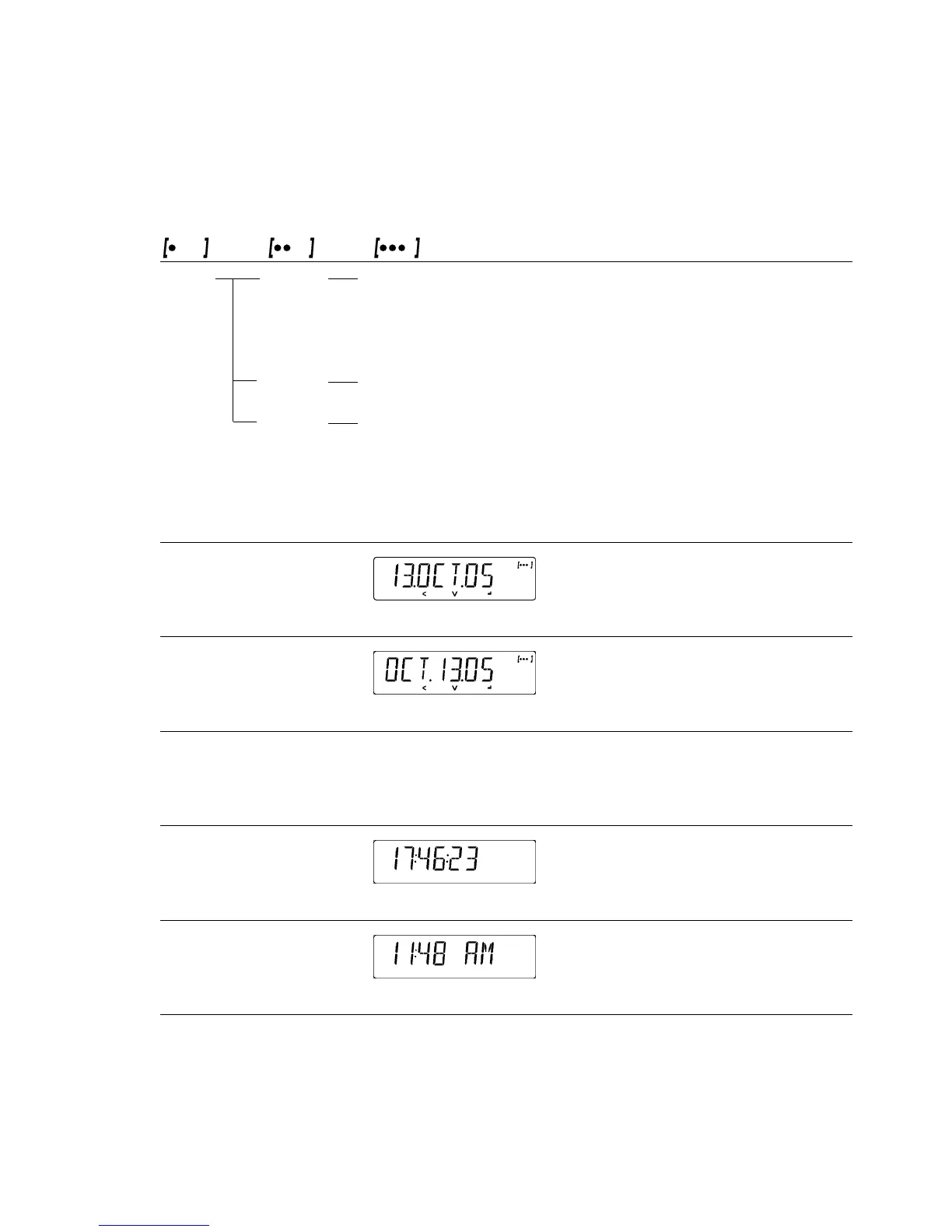
Level 1 Level 2 Level 3 Menu
Code
Input ID No. ID input for ISO/GLP compliant data record; 3. 1.
Input 7 characters max.
Permitted characters: 0 to 9; A to Z;
dash/hyphen; space
DATE Menu item for setting the date 3. 2.
TIME Menu item for setting the time 3. 3.
Depending on the setting you select for the menu item “SETUP PRNT.OUT DATE,”
the date will be displayed in the following format:
Format Display: Date
DD.MMM.YY
MMM.DD.YY
Depending on the setting you select for the menu item “SETUP PRNT.OUT TIME,”
the time will be displayed in the following format:
Time Display: Time
24-hour format
12-hour format







 To Next Page