35
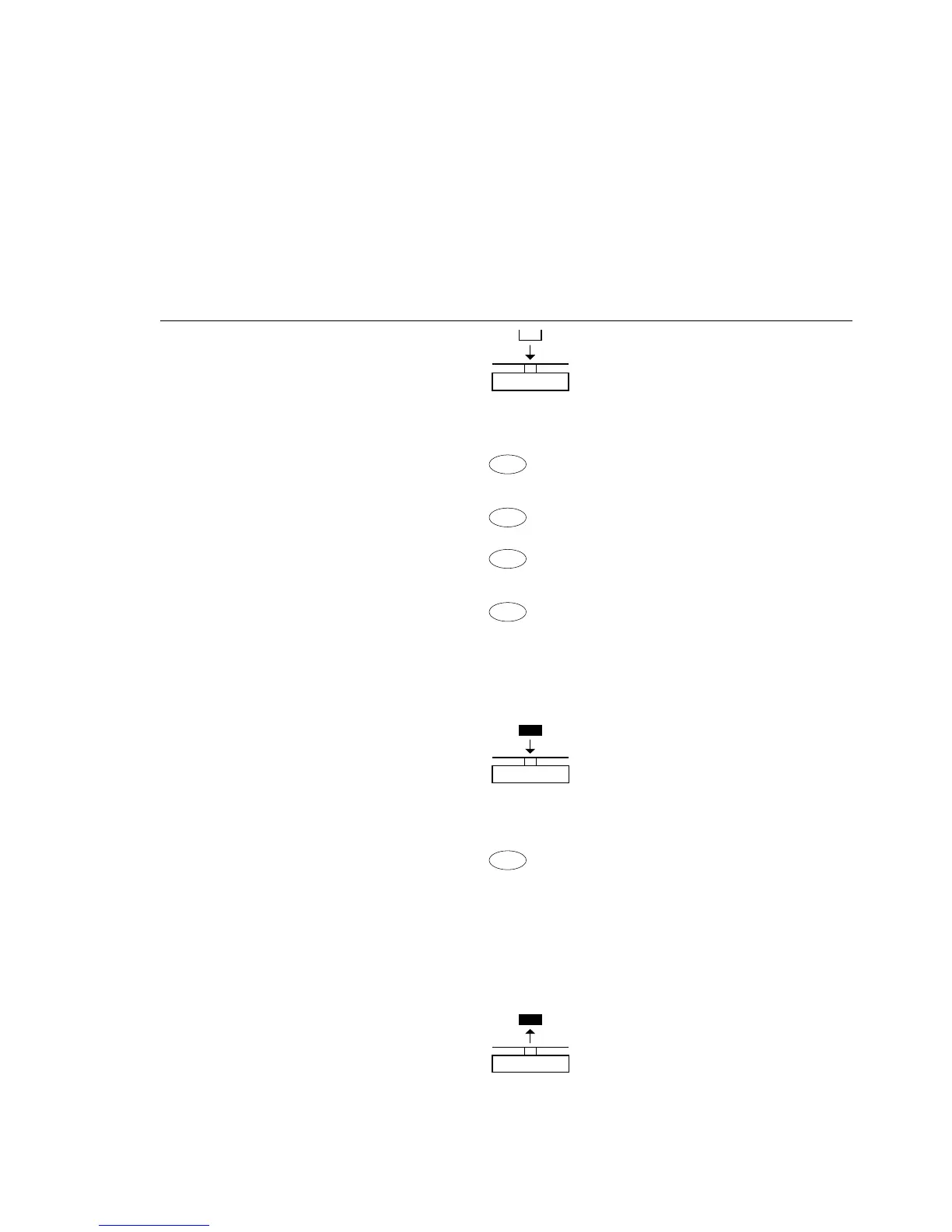
Example: Determining animal weight with automatic start and 20 subweighing
operations (measurements)
Parameter settings: Applic.: AnimalW. (menu code 2. 7.)
Step Key Display/Data output
(or instruction)
1. Place animal weighing bowl
22.6 g
on the balance
2. Tare the balance
t 0.0 g
3. Change the number
of subweighing operations:
ref 30
4. Set number of measurements: Repeatedly:
In increments of 1 (1, 2, 3, etc. to 100) Press briefly
In increments of 10 (10, 20, etc. to 100) press
ref 20
and hold
5. Confirm number of measurements +
0.0 g
*
and start automatic animal weighing
The number of measurements
remains stored in battery-backed
memory until the setting is changed
6. Place first animal in bowl.
888
The balance delays the start 20
of measurements until the 19
difference between 2 measure- ....
ments meets the criterion 1
$
If you selected the manual start
mode, press
7. Read off the result +
410.1 g
G
*
The result is displayed with the
“*” symbol (= calculated value)
mDef 20
and remains displayed until x-Net + 410.1 g
the sample (animal) is removed
from the load plate (bowl)
8. Unload the balance +
0.0 g
*
9. Weigh next animal (if desired)
Next weighing series begins automatically







 To Next Page