43
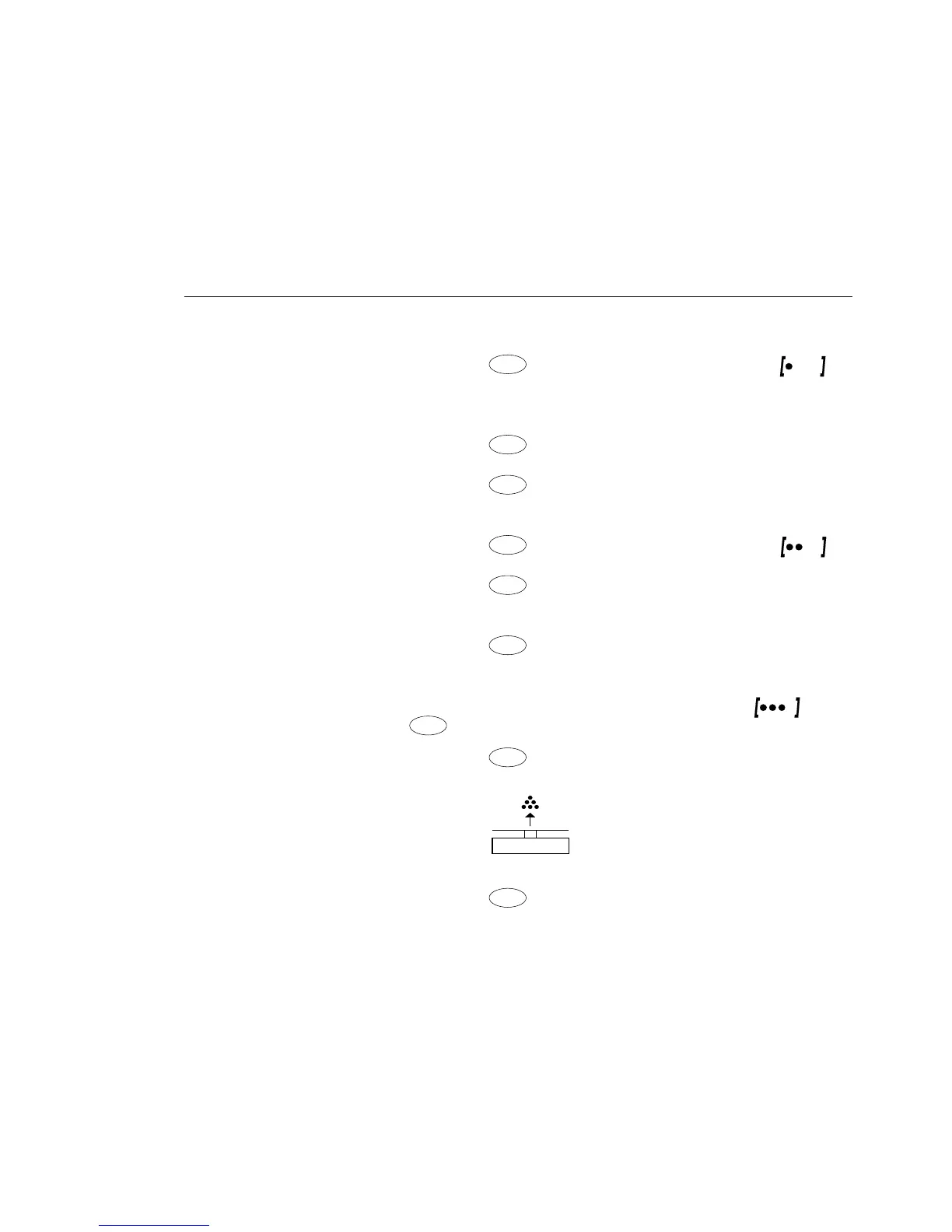
Example: Change display from the basic unit (in this example, grams [g]) to
pounds [lb] and then to Troy ounces [ozt].
Set the following parameters: Applic.: Unit (code 2. 2.)
Step Key (or instruction) Display
Preparation:
1. Begin selection of an
application weight unit
None
o
2. Select an application unit;
in this example, pounds Repeatedly:
(see table on next page)
Pounds
3. Confirm the weight unit (pounds) pounds
o
4. Select the next application
weight unit; ,
None
o
in this example: Troy ounces Repeatedly:
(see table on next page)
Troy Oz.
5. Confirm weight unit (Troy ounces)
Troy Oz.
o
6. Select other application units if
desired (max. 4 total) (otherwise,
confirm None by pressing )
7. Save selection
0.00 g
Conversion:
8. Place sample on balance +
100.00 g
9. Toggle unit for weight value Repeatedly: +
0.22046 lb
+
3.5275 ozt







 To Next Page