EasyManua.ls Logo

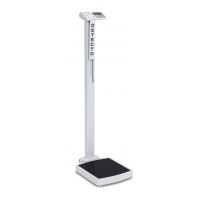
Detecto solo Series - User Manual

Detecto solo Series
40 pages
Print Icon
To Next Page IconTo Next Page
Loading...
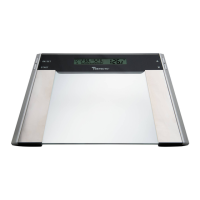
solo Series
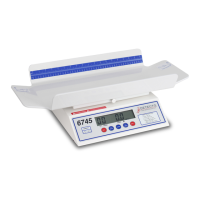
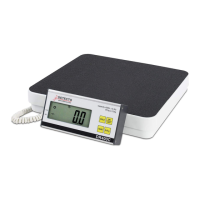
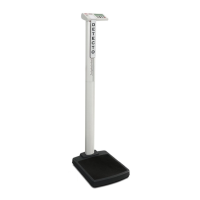
Digital Clinical Scale
Owner’s Manual
Model
SOLO
Models
SOLO-RI
PD100

Questions and Answers

  • D
    Deborah JacksonJul 29, 2025
    How to fix Detecto solo Scales when the display does not turn on?
    • C
      Cory FoleyJul 29, 2025
      If the Detecto Scales display doesn't turn on, start by ensuring the batteries are correctly installed. If they are, try replacing them with new ones, as the current batteries may be discharged. Also, verify that the 9V AC/DC power adapter is fully inserted into the wall receptacle and that the receptacle itself has proper AC power. You can test the receptacle by plugging in another electrical appliance. Finally, check the circuit breaker and consider whether there has been a power failure.
  • J
    Jennifer BrownAug 5, 2025
    Why does my Detecto solo Scales display show 99 and shut off?
    • S
      Shelly HarmonAug 5, 2025
      If the Detecto Scales display shows 99 and then shuts off, remove any weight from the platform by having the patient step off the scale. Then, power the scale up again. If the issue persists, it's recommended to consult your scale service representative.
  • J
    Jose ForbesAug 12, 2025
    What to do if Detecto Scales displays incorrect weight?
    • K
      Kimberly PerezAug 12, 2025
      If your Detecto Scales display shows an incorrect weight, first ensure that the scale platform isn't touching any adjacent objects. Additionally, verify that you are following the proper operational procedures for the scale.
  • C
    Cheryl RodriguezAug 21, 2025
    What to do if Detecto solo display shows a moving small 6?
    • S
      Sarah HigginsAug 21, 2025
      If the Detecto Scales display shows a moving small 6, ensure the scale is stable and wait for a moment until the display shows . . . If the issue continues, it's recommended to consult your scale service representative.

Summary

Specifications

Desk or Table Mounting the solo-RI Display

WEIGHING UNIT SELECTION

Scale Initialization

Initial setup process to select the weighing unit (lb or kg) upon first power-on.

BATTERY OPERATION

Battery Installation or Replacement

Procedure for installing or replacing the scale's AA batteries.

OPTIONAL AC POWER ADAPTER

KEYPAD FUNCTIONS

OPERATION

Weighing Mode

Step-by-step guide to perform a standard weighing operation.

Height and;or BMI Measure Mode

Procedure for measuring patient height and calculating Body Mass Index (BMI).

MOTHER;BABY WEIGHING

SCALE SETUP

To Enter Setup

Steps to access the scale's setup menu for configuration.

Weighing Unit Setup

How to select or change the primary weighing unit (lb/kg).

CALIBRATION

Entering Calibration Mode

Steps to access the scale's calibration mode.

Gravity Constant Settings

Setting gravity constants for calibration and operation locations.

Calibrate Scale Procedure

The main procedure for calibrating the scale with test weights.

DATA TRANSMISSION FORMAT

DISPLAY MESSAGES

TROUBLESHOOTING

CARE AND CLEANING

Detecto solo Series Specifications

General IconGeneral
Unitslb / kg
DisplayLCD
PowerAC Adapter
Graduation0.2 lb
MaterialSteel

Related product manuals