Precautions
2
D 1650iD/D 2050iD 2-19
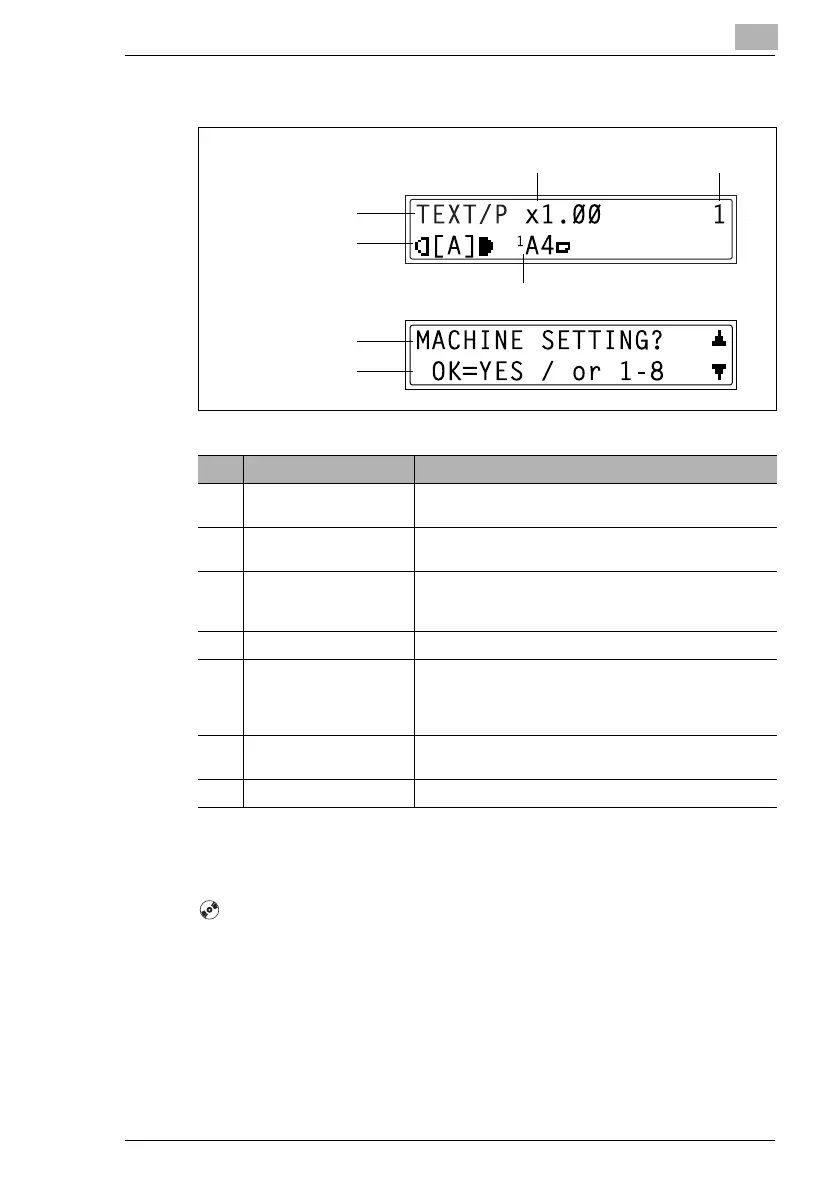
Display Indications
Adjusting the Angle of the Display [CD]
For further information, see chapter “2 Precautions” in the extended
manual on the CD-R.
1
2
6
7
5 4
3
Copy mode screen
Utility mode screen
No. Display Indication Description
1 Copy density
(document type)
Indicates the document type for the copy density setting.
“PHOTO”, “TEXT”, or “TEXT/P”
2 Copy density
(density level)
Indicates the density level for the copy density setting.
3 Paper source Indicates the selected paper tray. If special paper is
selected, the paper type is displayed.
“AUTO”, a paper tray and paper size, or paper type
4 Number of copies Indicates the specified number of copies.
5 Zoom ratio Indicates the current zoom ratio setting.
“AUTO” or the current zoom ratio setting is displayed.
“× [X/Y]” indicates that the “X/Y Zoom” function is
selected.
6 Menu or function name • Displays the current menu, function or settings.
• Error messages are displayed when errors occur.
7 Messages Displays messages such as operating instructions.



 To Next Page