6
Advanced Copy Operations
6-6 D 1650iD/D 2050iD
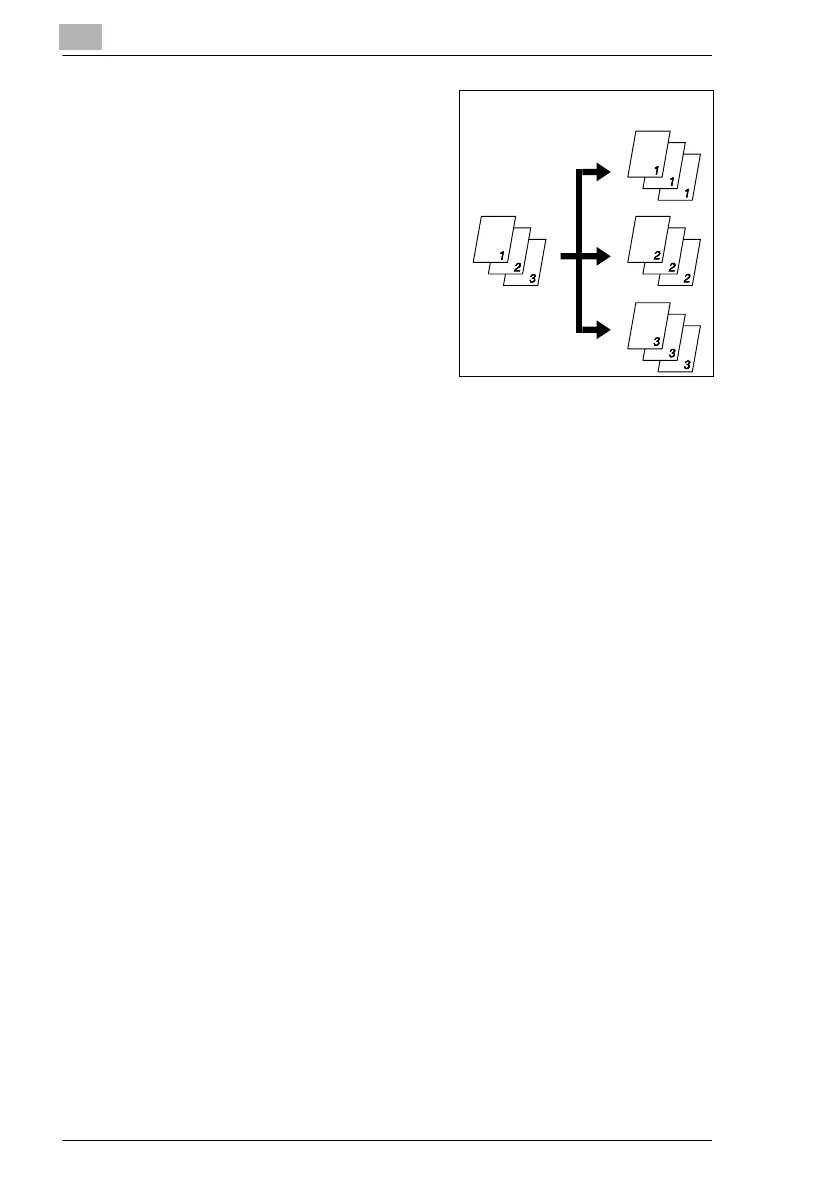
G “Group” function:
The copies are automatically
divided into stacks containing all
copies of the same page.
Notes on Using the “Sort” and “Group” Functions
Conditions for sorting
G The number of copies is set to 2 or more.
G The “Book Separation” function is selected if the Document Feeder is
not installed.
Conditions for crisscross sorting
G A4 or B5 paper is used.
G Paper of the same size and type is loaded horizontally in one paper
drawer and vertically in another drawer.
G The Auto Paper function is selected.
G The “Mixed Orig.” function must not be selected.
G The Document Feeder is installed.
G The “CRISSCROSS MODE” function in the Utility mode is set to “ON”.
(p. 7-1)
G The optional Shifting Unit is not installed.
Documents
Copies



 To Next Page