Error Messages
8
D 1650iD/D 2050iD 8-11
8.3 When the Message “ORIGINAL DOC.JAM” Appears
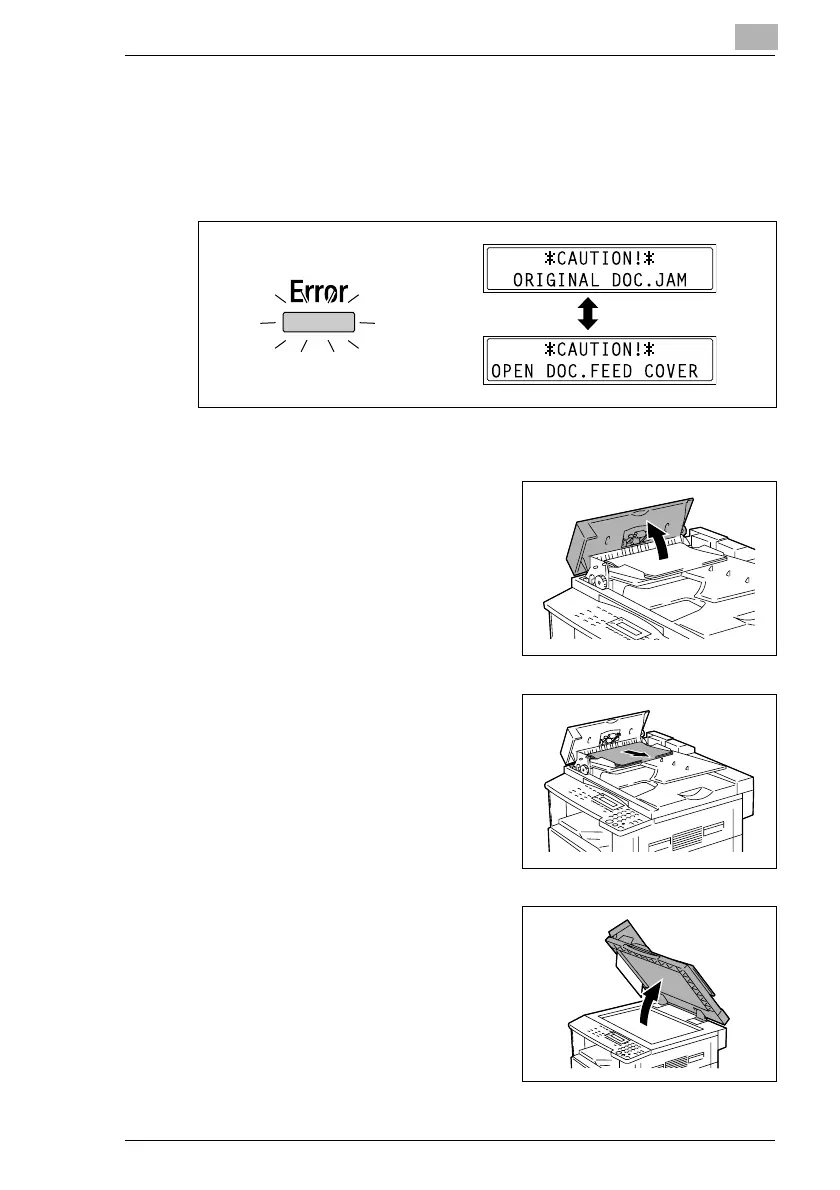
If a document misfeed occurs while the document is being fed, the
message shown below appears, and copying or printing stops.
Remove the misfed document according to the following procedure.
To clear a misfeed in the Automatic Document Feeder (AF-12)
1 Open the Document Feeder Cover.
2 Remove all document pages from
the Document Feeder Tray.
3 Lift open the Automatic Document
Feeder.



 To Next Page