8
Error Messages
8-2 D 1650iD/D 2050iD
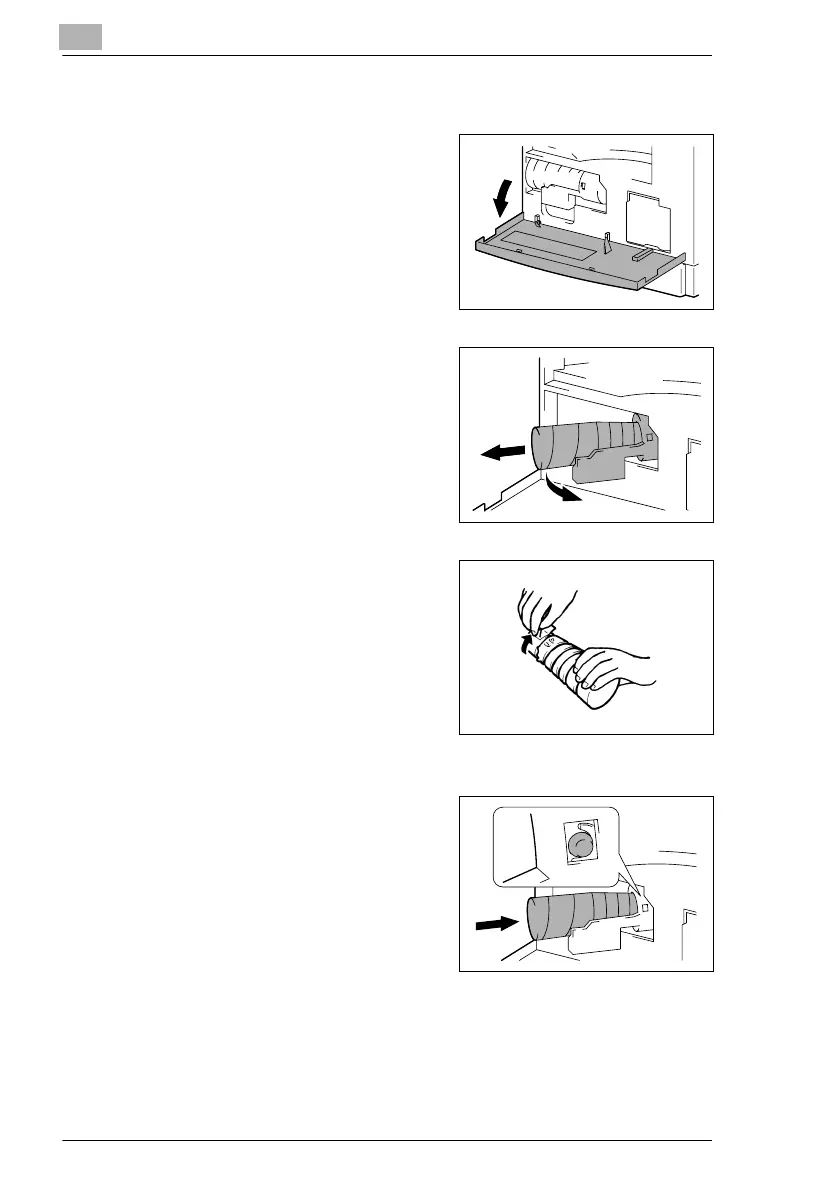
To replace the toner bottle
1 Open the Front Cover.
2 Swing out the Toner Bottle Holder,
and then remove the toner bottle.
3 Holding the sealed end of the new
toner bottle up, slowly peel off the
seal toward you.
?
Have the necessary precautions
been observed when peeling off
the seal?
§ Since some toner may spurt out
while the seal is being peeled
off, be sure to peel off the seal slowly.
4 With the side of the toner bottle
marked “UP” facing up, insert the
toner bottle into the Toner Bottle
Holder.
?
Have the necessary precautions
been observed while inserting
the toner bottle?
§ As shown at the right, the tab on
the toner bottle should securely fit into the notch in the Toner Bottle
Holder.



 To Next Page