106
4
Supported Software
Hardware Monitor for Windows
(for Windows XP)
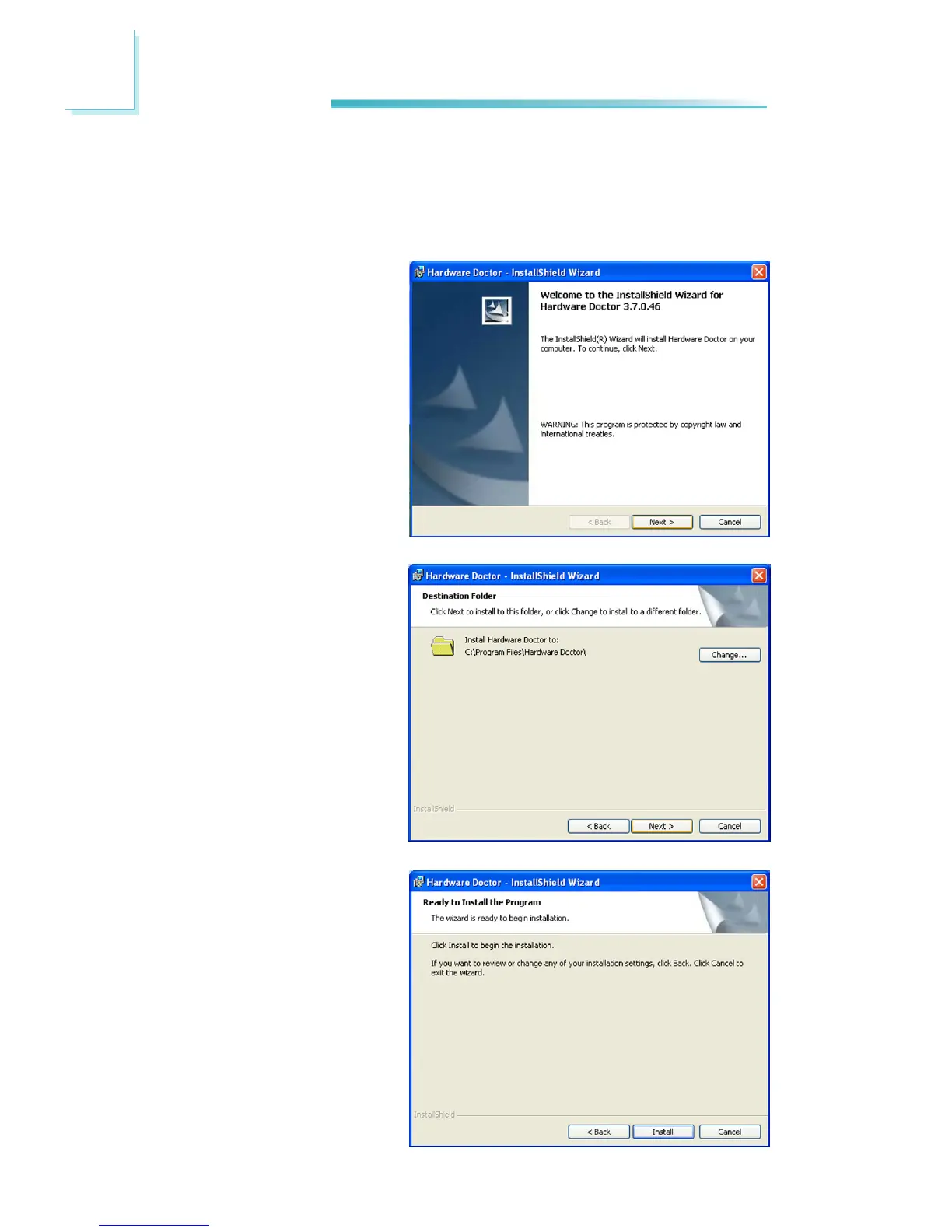
To install, click “Hardware Monitor for Windows” on the main menu.
1. Setup is now ready to in-
stall the utility. Click Next.
2. Click Next to install or click
Change to select another
folder.
3. Click Install to begin the
installation.



 To Next Page