26
2
Hardware Installation
REV.1
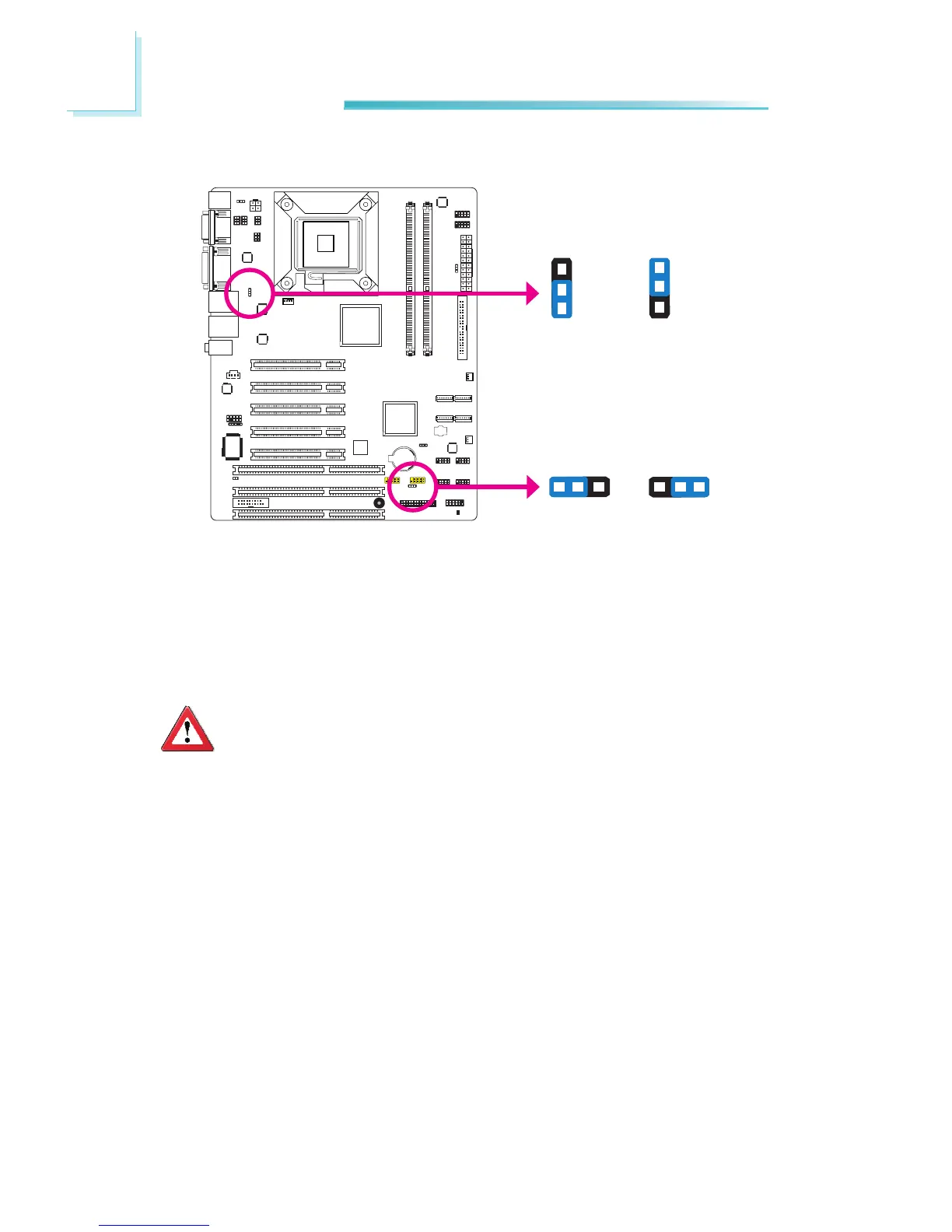
These jumpers are used to select the power of the USB ports. Selecting +5V_
standby will allow you to use a USB device to wake up the system.
BIOS Setting
“USB KB Wake-Up From S3” in the Power Management Setup submenu of the
BIOS must be set to Enabled. Refer to chapter 3 for more information.
Important:
If you are using the Wake-On-USB Keyboard/Mouse function for 2 USB
ports, the +5V_standby power source of your power supply must sup-
port≥1.5A. For3or more USB ports, the +5V_standby power sourceof
yourpowersupplymustsupport≥2A.
USB Power Select
USB 0-3
(JP4)
USB 4-7
(JP7)
2-3 On:
+5V_standby
1-2 On: +5V
(default)
31 2 31 2
3
1
2
3
1
2
2-3 On:
+5V_standby
1-2 On: +5V
(default)



 To Next Page