44
2
Hardware Installation
REV.1
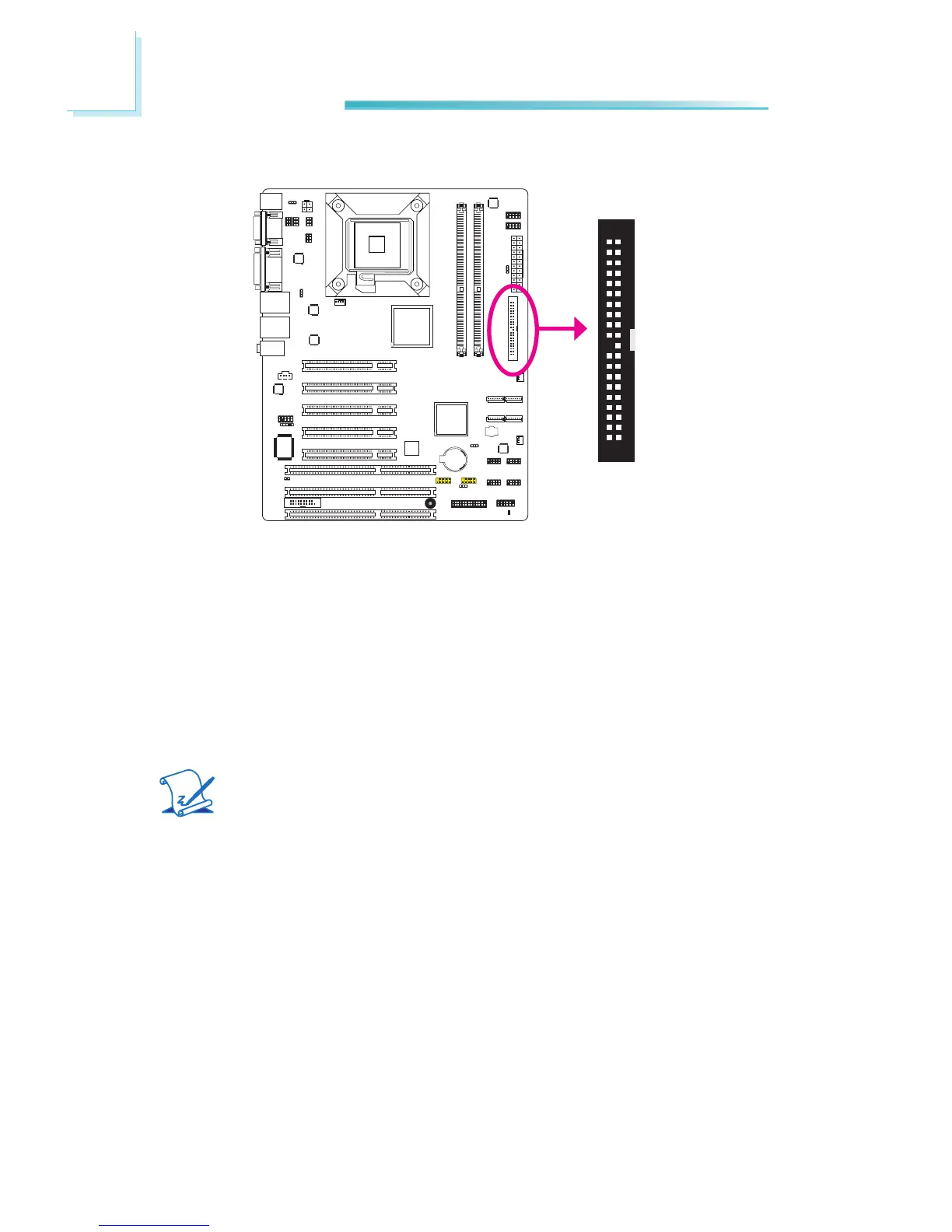
IDE Connector
The IDE connector is used to connect hard drives. The connector on the IDE
cablecanbeinsertedintothisconnectoronlyifpin1ofthecableisalignedwith
pin1ofthisconnector.
The IDE connector supports 2 devices, a Master and a Slave. Use an IDE ribbon
cabletoconnectthedrivestothesystemboard. An IDE ribbon cable has 3con-
nectorsonthem,onethatplugsintotheIDEconnectoronthesystemboardand
theother2connectsto IDEdevices.Theconnector attheendof thecableisfor
the Master drive and the connector in the middle of the cable is for the Slave
drive.
Note:
Refer to your disk drive user’s manual for information about selecting
properdriveswitchsettings.
Adding a Second IDE Disk Drive
Whenusing two IDE drives,onemustbesetasthemasterandtheother as the
slave. Follow the instructions provided by the drive manufacturer for setting the
jumpersand/orswitchesonthedrives.
The system board supports Enhanced IDE or ATA-2, ATA/33, ATA/66, ATA/100
and ATA/133 hard drives. We recommend that you use hard drives from the
same manufacturer. In a few cases, drives from two different manufacturers will
not function properly when used together. The problem lies in the hard drives,
notthesystemboard.
40 39
2 1



 To Next Page