5.2. Service Menu
5.2.1. Entering to Service Menu
There is a Service menu for servicing and operation checking purposes. The entry point is in the
User’s Service screen, where Service Information is displayed.
Enter the code to access Service menu: 6484
5.2.2. Main Service Menu
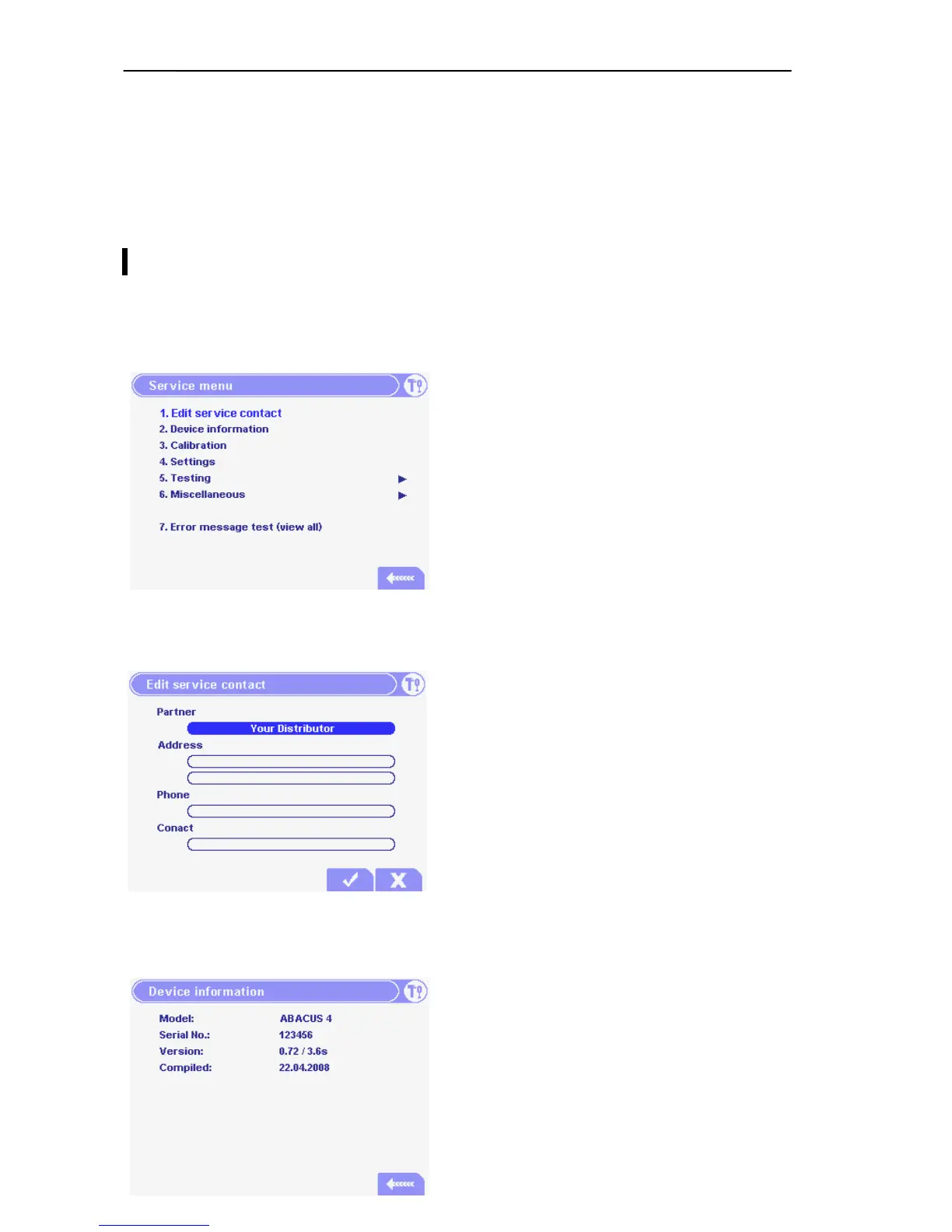
The Main Service menu provides access to submenus and service utilities.
5.2.3. Edit service contact
Here you can edit the Information card fields by
cursor keys, or by an external keyboard.
Press the OK button, if a field is completed.
This information will appear in the User Service
menu.
5.2.4. Device Information
In the Device Information menu the model name,
the serial number, the software version and
compilation date appear.



 To Next Page